Manage Your Workforce Effortlessly in Construction
Key Features for Construction Management Solution
Free Equipment Tracking Forever
No Credit Card Required
Cancel Anytime

How does it work?
Invite
Construction Workforce Management
- ▪️
Open your project in GoBuid
- ▪️
Tap the invite button located in the project header
- ▪️
Enter the email addresses and roles of the team members
- ▪️
Finally, click "Send Invitation" to invite the team members
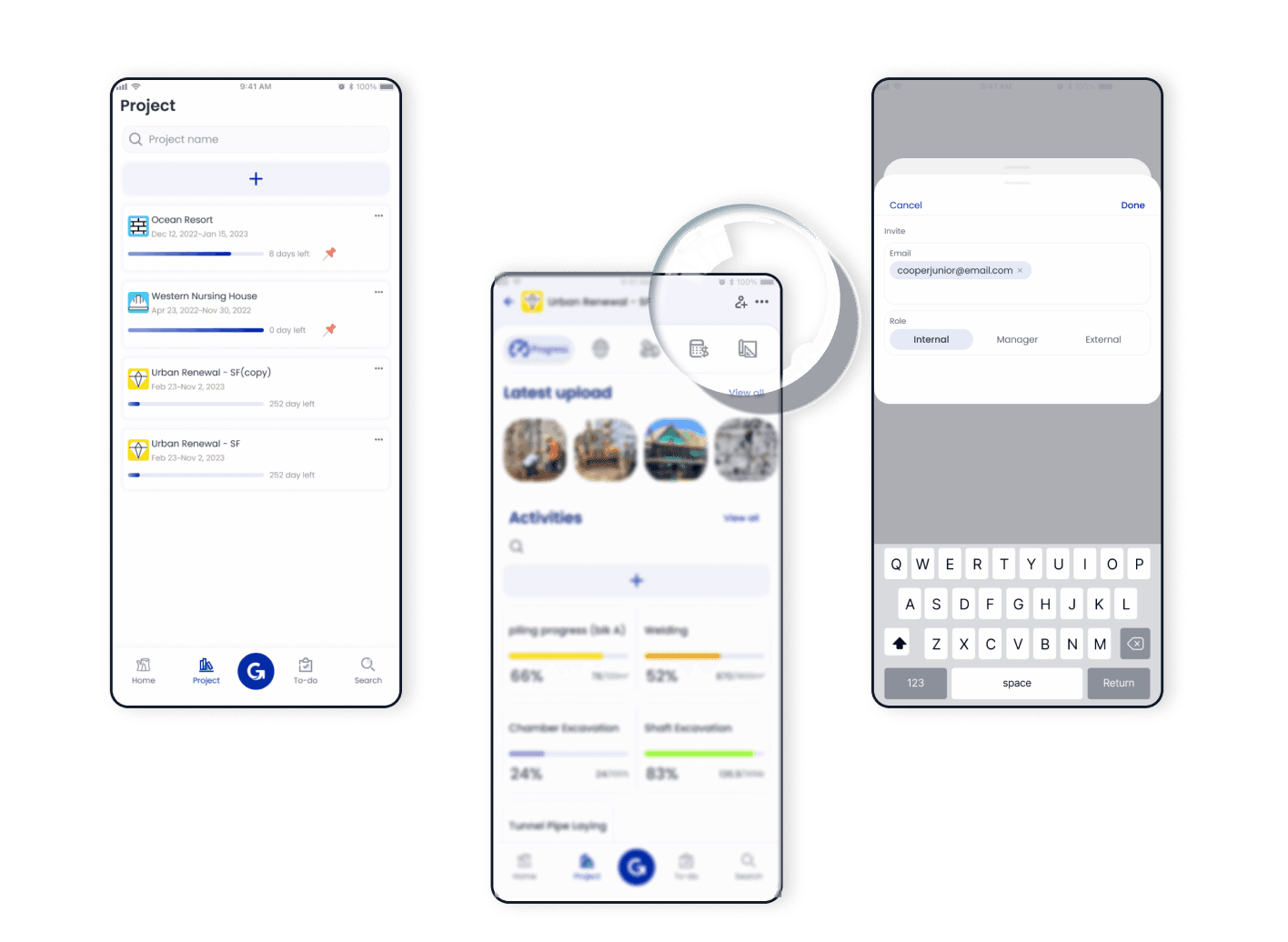
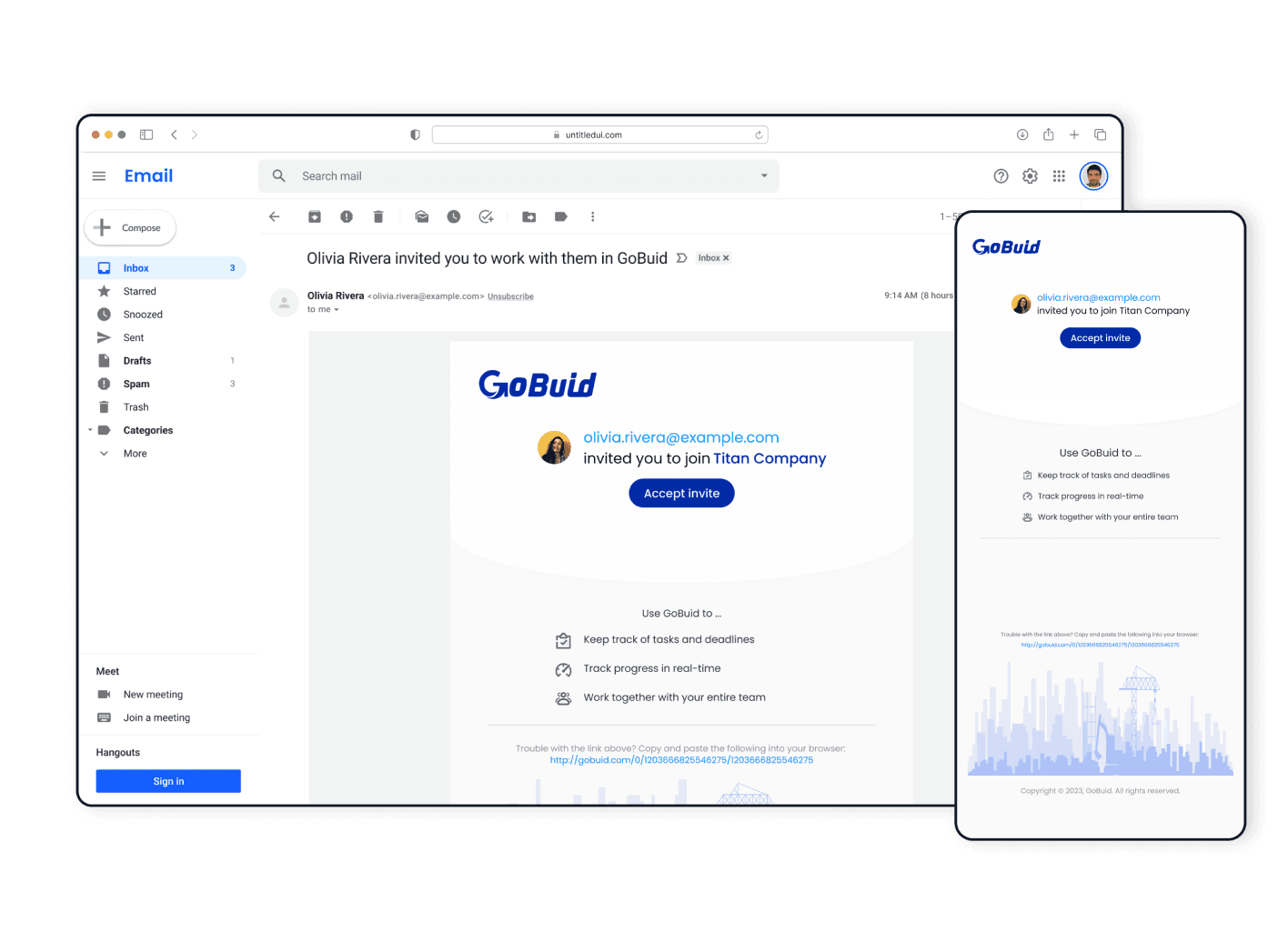
The invited members will receive an email with an invitation to join the project. They can follow the instructions in the email to create their GoBuid accounts and join your project.
Manage
Assign Project Roles
- ▪️
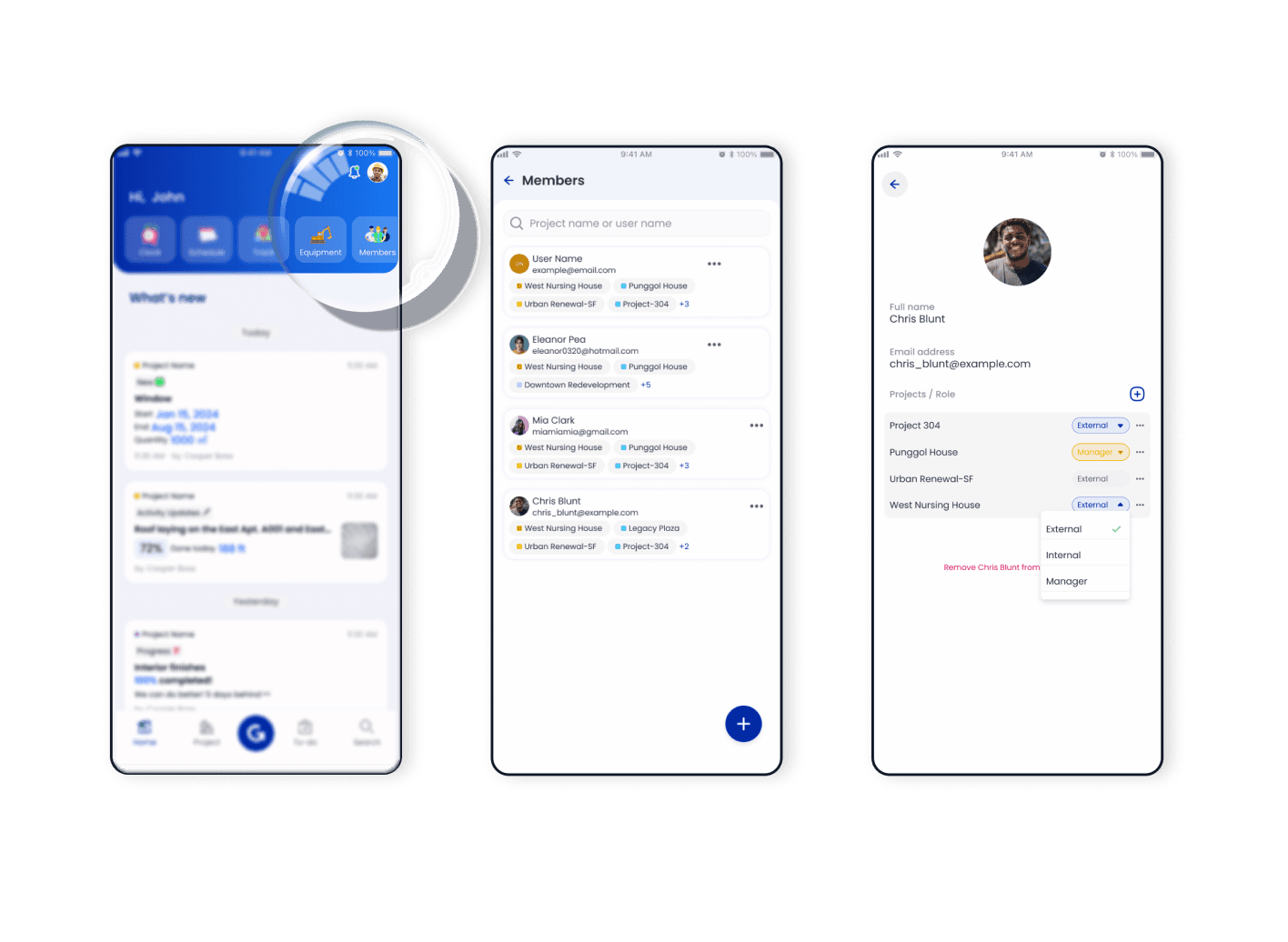
Access "Members" in Home
- ▪️
Add/remove members at one time
- ▪️
Tap a member and manage the project and project roles
- ▪️
Managers have full access to the project, while internal members can view all project-related information
Schedule
Efficient Scheduling And Time Tracking
- ▪️
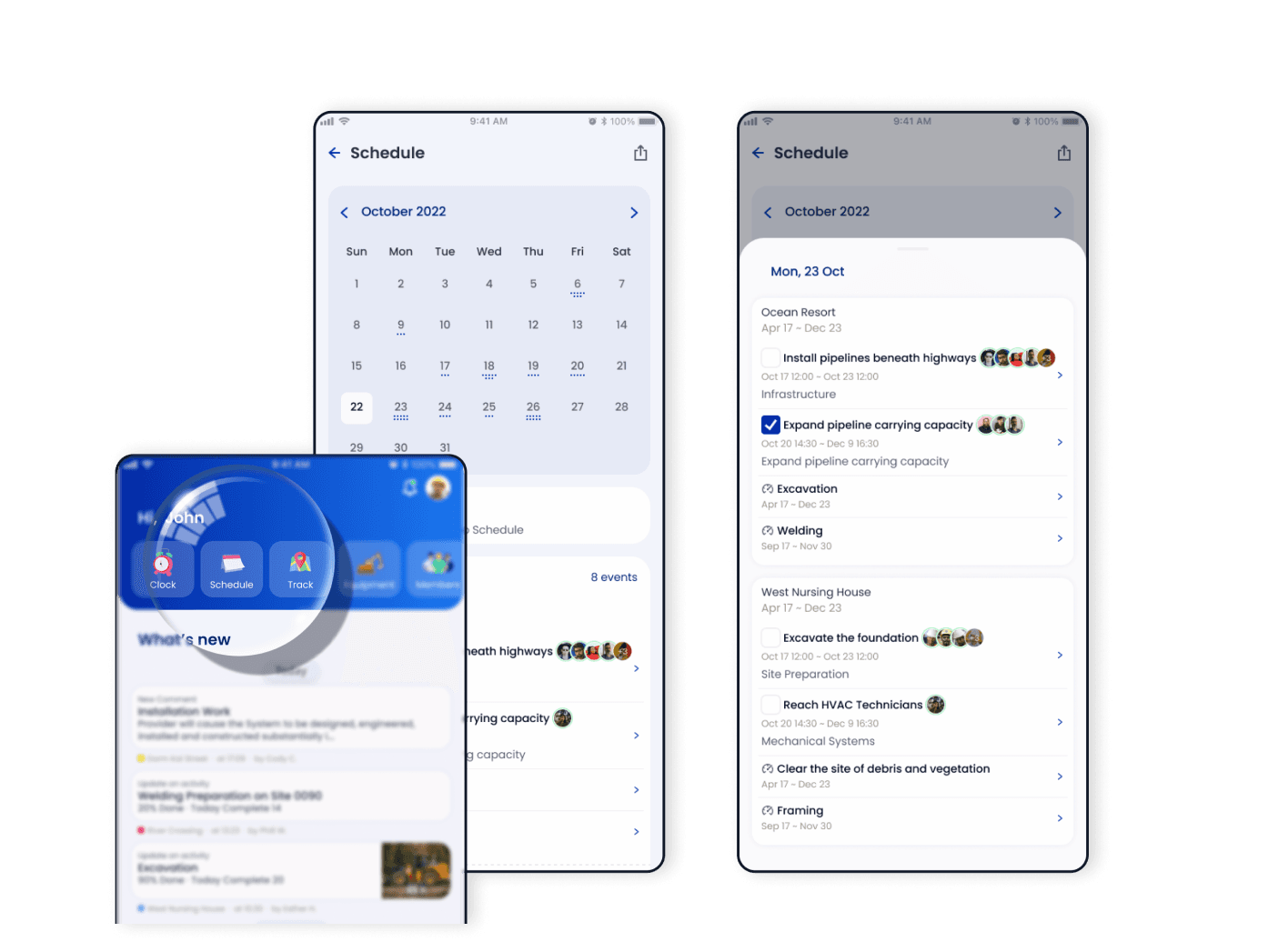
Access the "Schedule" feature in Home
- ▪️
Visualize the project timeline to gain a clear overview of task schedules
- ▪️
Track the progress of tasks and regularly update their status as they are completed
Monitor
Digital Timesheet And Productivity Analysis
- ▪️
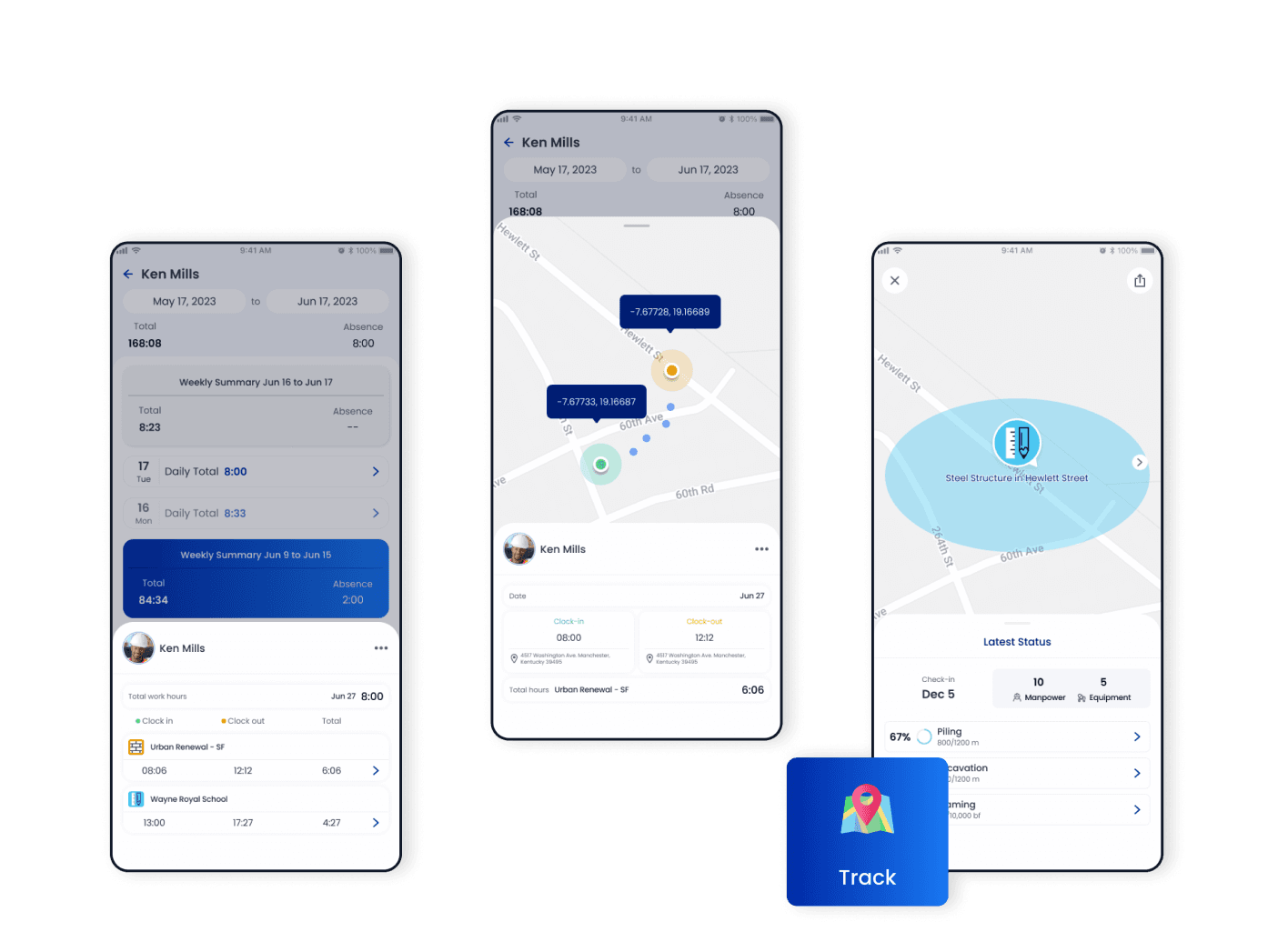
Clock in and out on workdays to accurately record working hours
- ▪️
Access the "Timesheet" and "Clock" to manage members and your working hours
- ▪️
Submit record and absence requests and await approvals
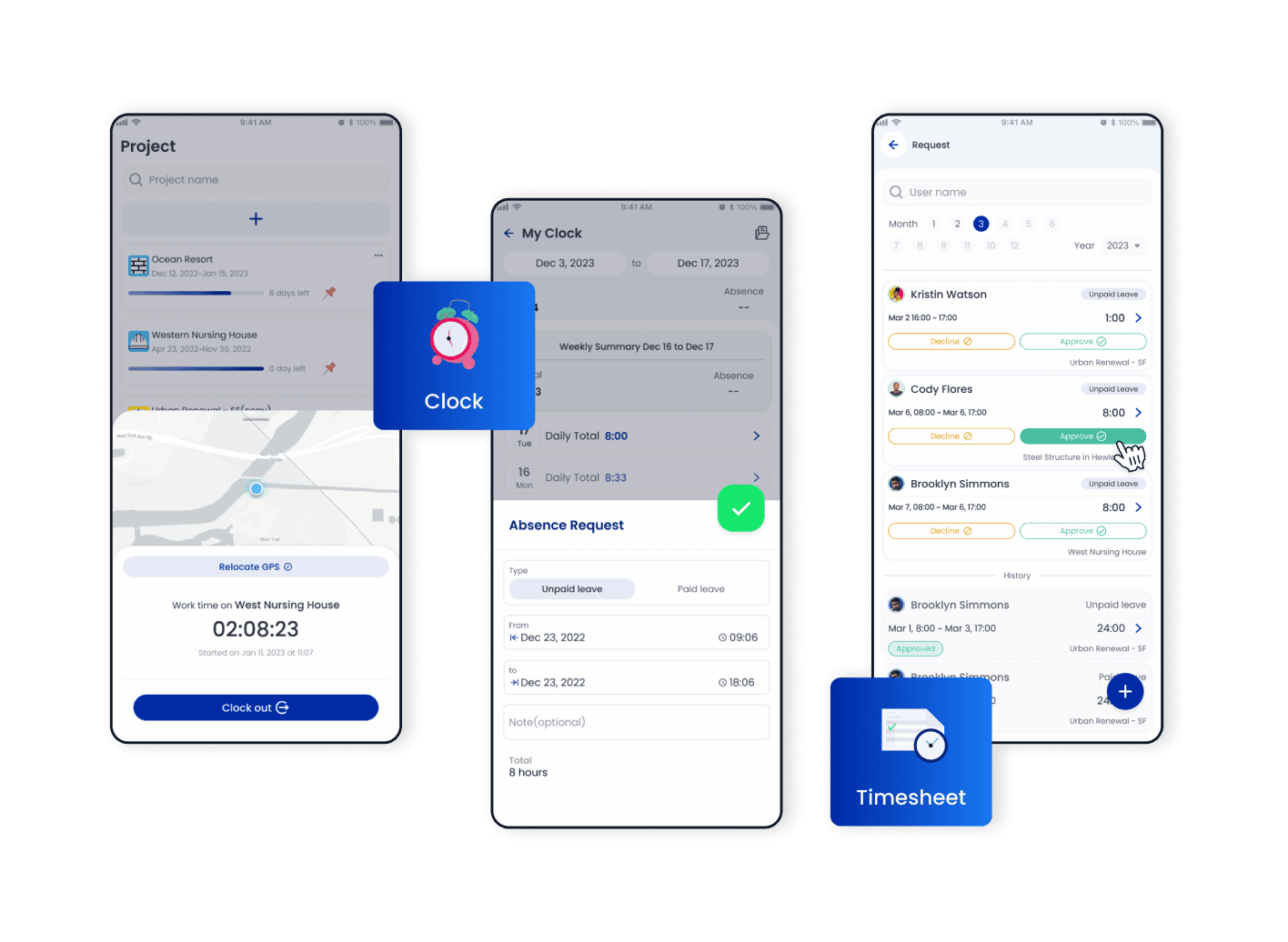
Use the timesheet template to simplify tracking hours worked . Convert work hours efficiently . Calculate labor costs easily . Avoid time theft by utilizing employee time clocks and clock in apps
Collaborate
Streamline Communication And Collaboration
- ▪️
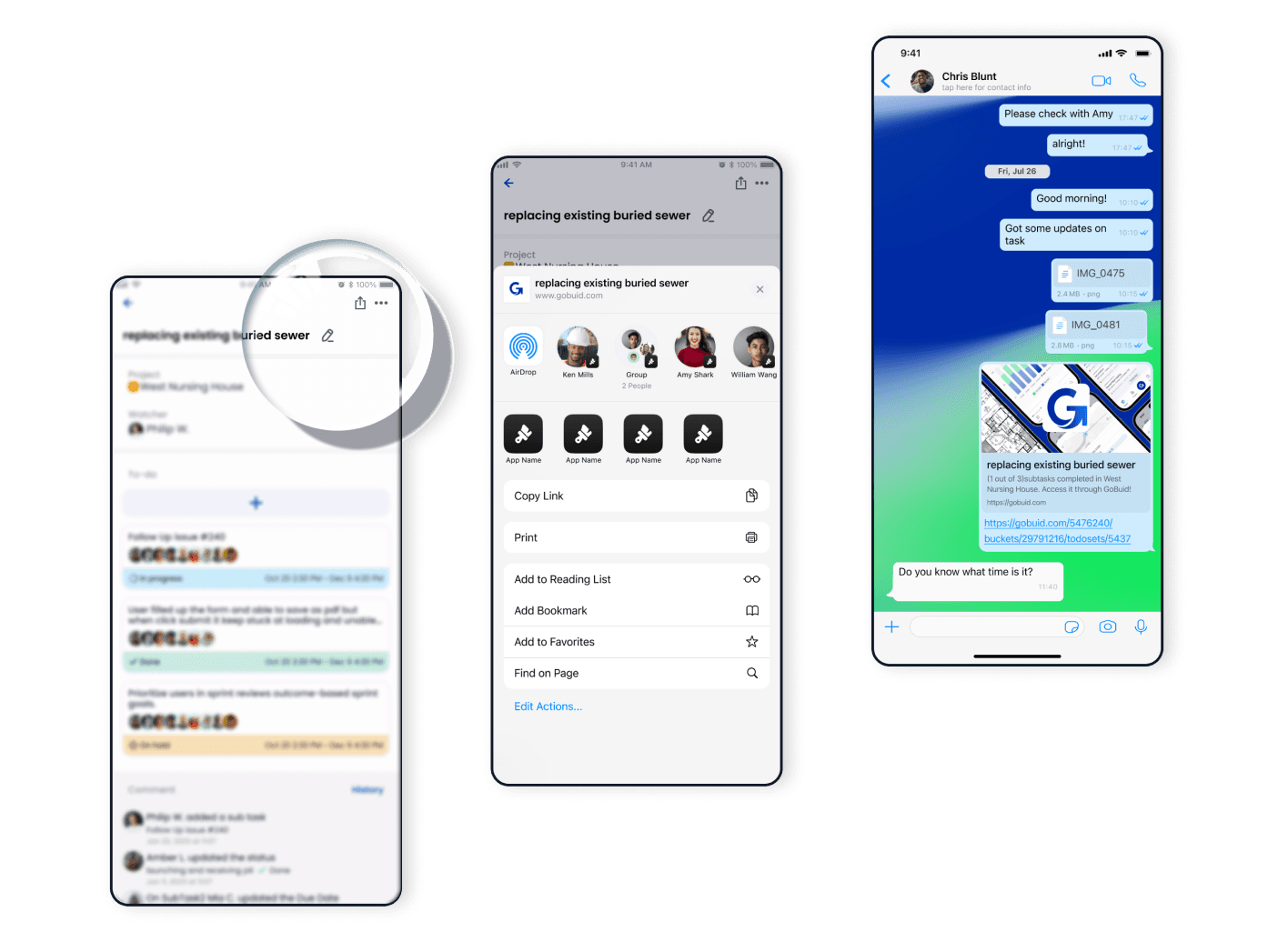
Click "Share" to instantly distribute shared files and information to the chosen person you select
- ▪️
Team members will receive notifications or access to the shared content based on the sharing settings
- ▪️
Team members can access the shared files, updates, or information and collaborate with others in the project
- ▪️
Regularly update and share relevant files, updates, and information to keep everyone informed and aligned
FAQ
Have Questions?
Are there any effective strategies to attract more skilled workers to construction jobs?
Provide modern digital tools like GoBuid's one-click report generation and mobile forms to cut paperwork burden, attracting Gen Z and retaining skilled workers. Digital "Permit to Work" (e-PTW) enhances safety culture. Free training supports 35–60+ workers. Builds "digital literacy" for data-driven roles in real-time tracking.
What skills are most in demand for the construction workforce today?
Digital literacy and data-driven decision-making top in-demand skills, including mobile reporting for manpower/equipment data, workflow coordination, and real-time progress tracking via tools like GoBuid. Workers who maintain a "single source of truth" on-site stand out. Enables swift management decisions. Boosts efficiency beyond manual trade skills.
How can I choose the right software for contractor workforce management to improve project efficiency?
Choose GoBuid for SME contractors—covering six pillars: manpower, equipment, progress, budget, forms, and reports—with simple and easy to use interface, and flexible subscription (no 2–3 year contracts) and a $1 beginner offer. Worker-friendly UI beats complex BIM tools like Autodesk. Turns field data into visual analytics. Ensures team adoption and efficiency gains.
Which software offers payroll solutions for construction companies?
GoBuid offers payroll solutions with GPS geofencing for accurate timesheets, exportable as CSV/PDF for third-party integration. Captures clock-in/out by location to prevent errors. Simplifies payroll calculations. Seamless data flow from field to finance.
Solutions for tracking construction worker hours and attendance?
GoBuid tracks hours and attendance via GPS-verified geofenced timesheets on mobile apps, eliminating "buddy punching" and manual errors. Real-time visibility lets managers assign manpower accurately. Workers submit with simple select-and-click. Cloud-based for anytime access.
