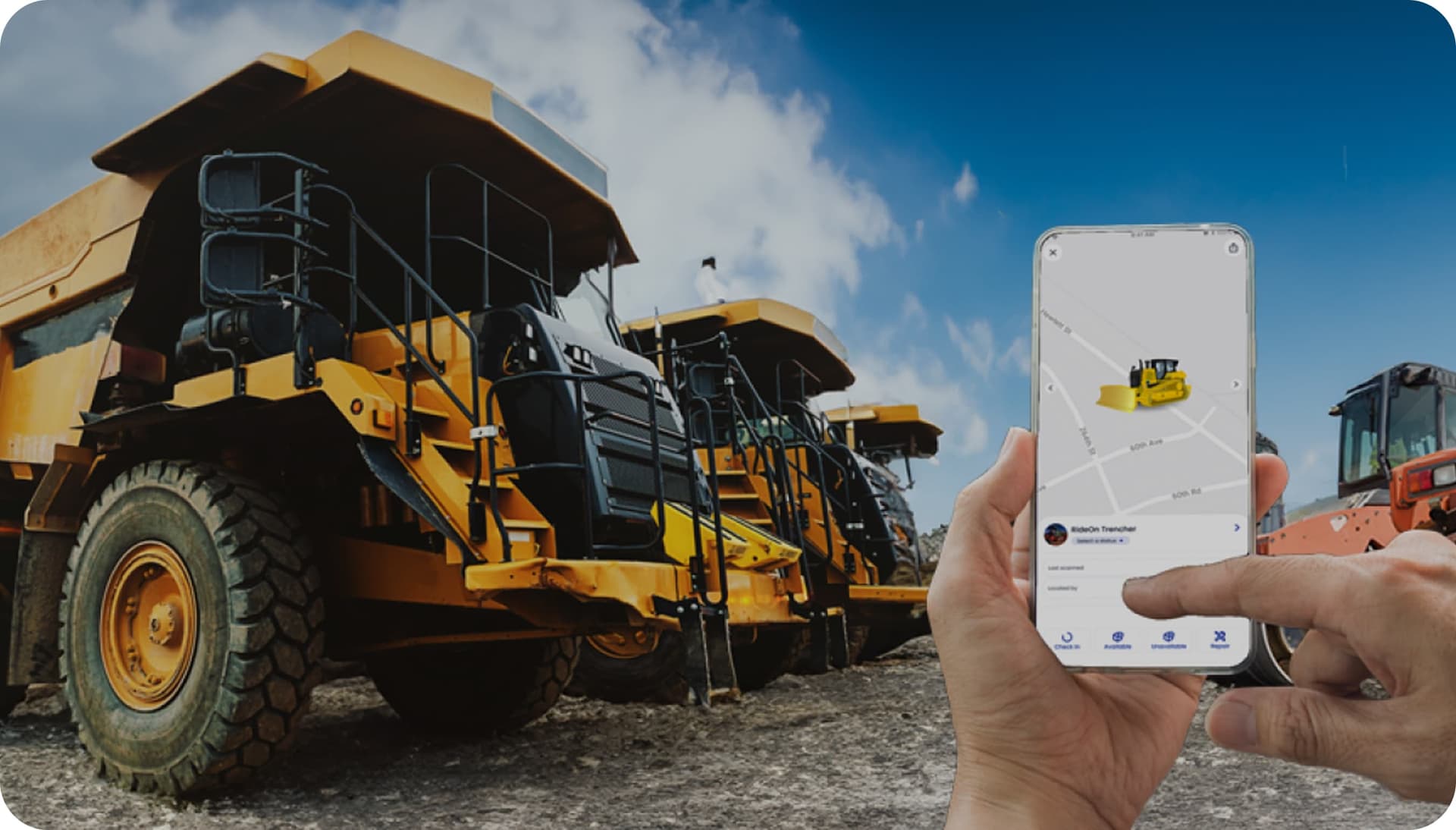
Setup
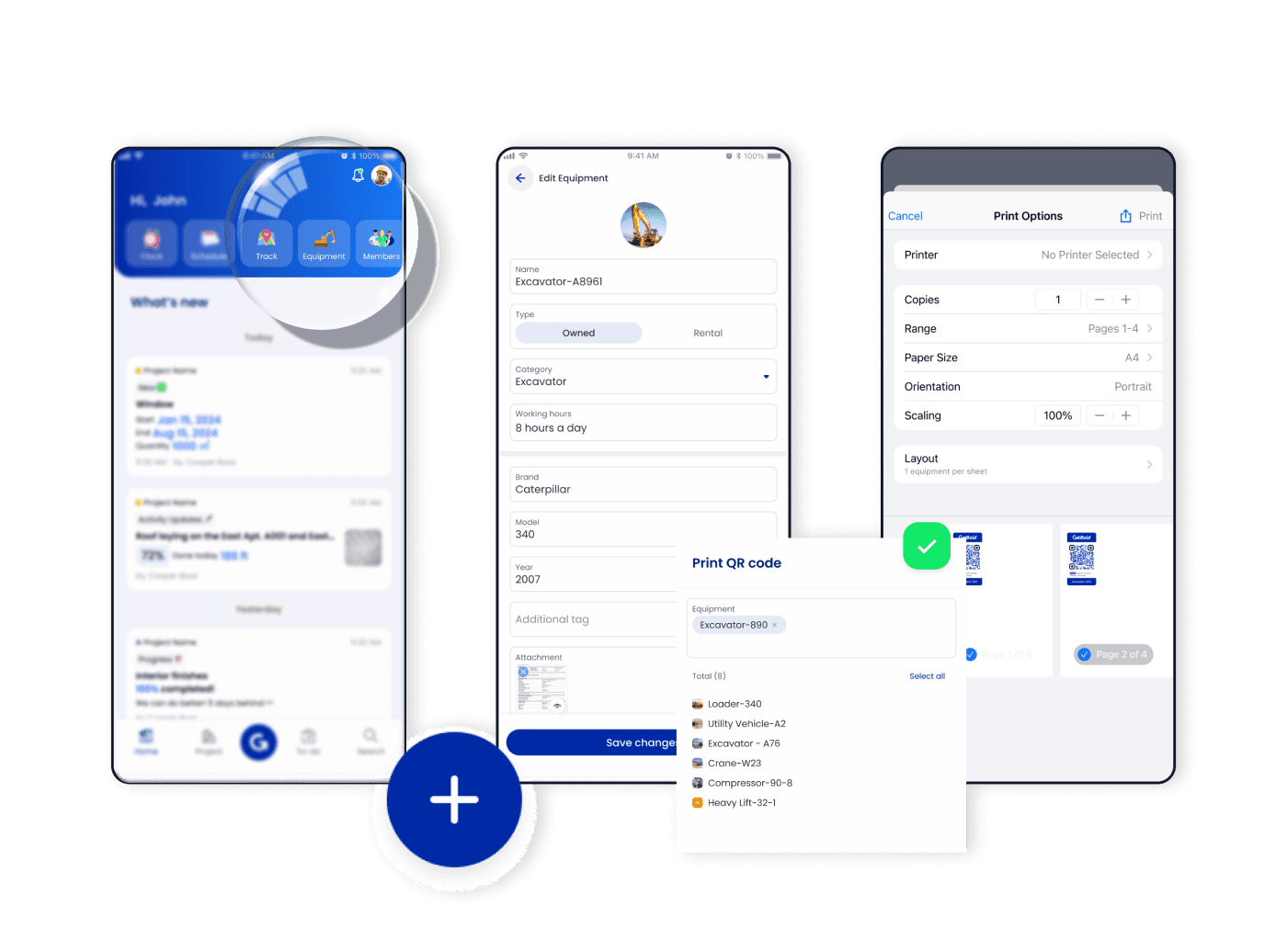
Register Your Equipment
- ▪️
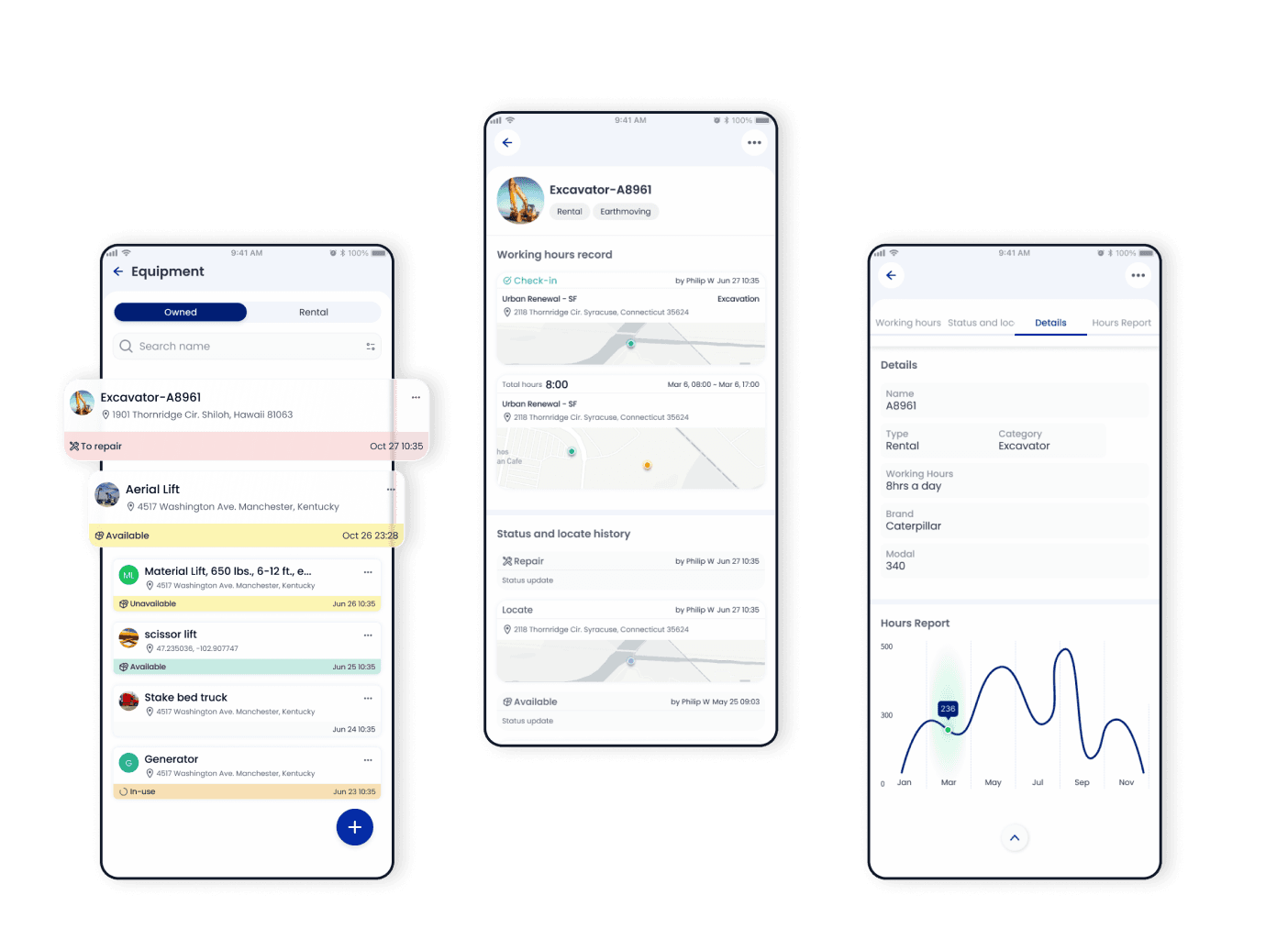
Access "Equipment" in Home and tap "add"
- ▪️
Register your equipment by manually entering the equipment details. This will create a comprehensive inventory of your equipment using an asset tracking system
- ▪️
Bulk print out the unique QR code and paste it on each piece of equipment
Track
Instant Visibility For Efficient Tracking
- ▪️
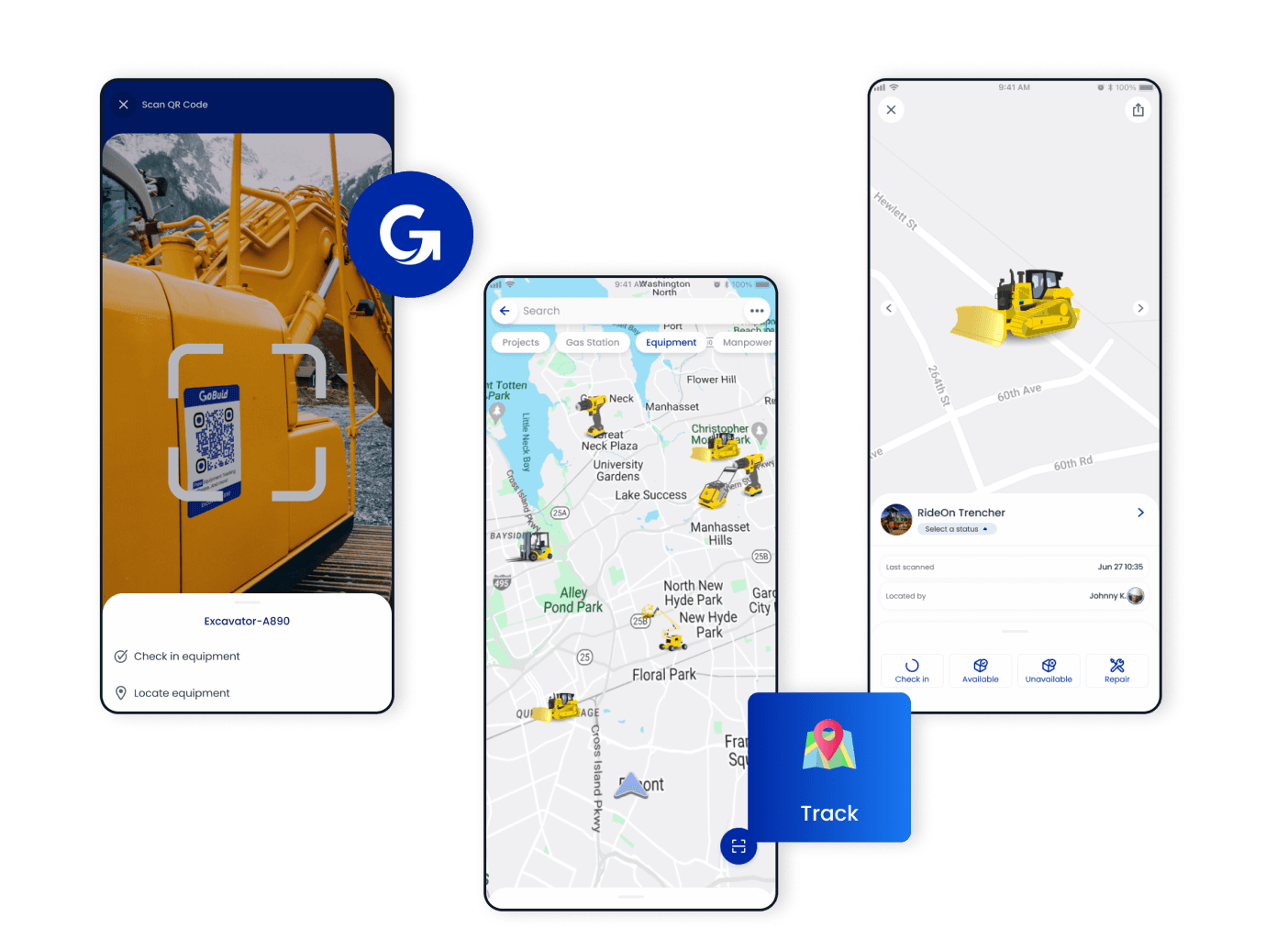
Scan the QR code of equipment to check in/out equipment or locate equipment
- ▪️
Access "Track" to view each piece of equipment by category icons in the interactive map, utilizing asset tracking software
- ▪️
Tap on the icon or search for the equipment name to view the real-time status and location details of your equipment, enhanced by GPS tags
- ▪️
To manage equipment availability and allocation, easily change the status in the details section
Clarify
Seamless Integration With Projects
- ▪️
Equipment can be automatically linked to projects when checking in or out, ensuring accurate association
- ▪️
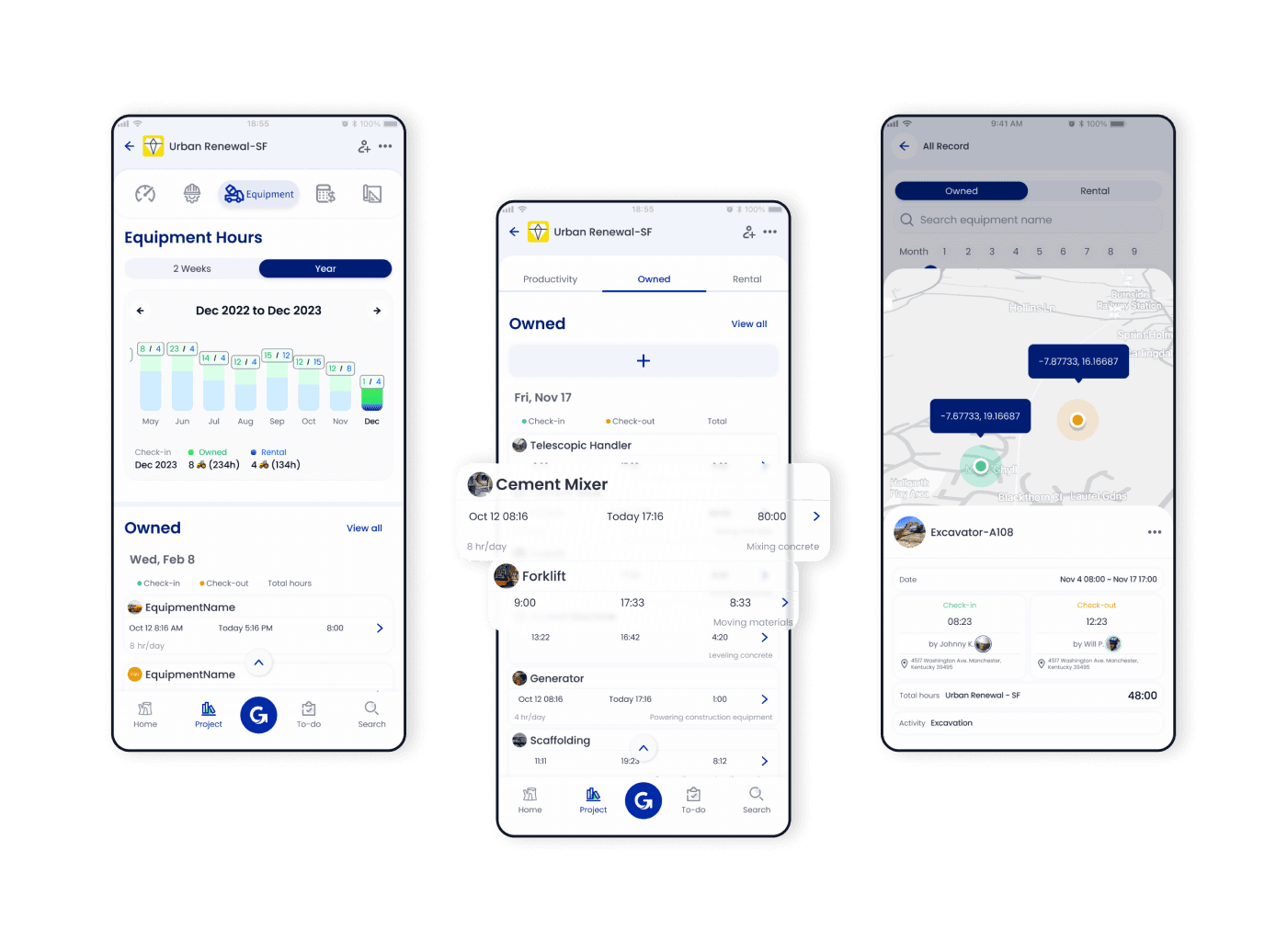
Access a project and tap the equipment button
- ▪️
The "Hour" bar chart visually represents equipment working hours, allowing you to monitor usage and productivity
- ▪️
Scrolling down provides additional information, such as check-in/out times, progress engaged, and the total hours for the current day
Manage
Efficient Resource Utilization
- ▪️
Access the "Equipment" section in Home
- ▪️
Click on the specific equipment to see its detailed information, such as equipment type, condition, and associated notes within the computerized maintenance management system software
- ▪️
Monitor the working hours of the equipment. You can check the total hours of use or track specific project durations
- ▪️
Gain insights for equipment productivity and maintenance planning using a computerized maintenance management system and geofence technology
FAQ
Have Questions?
What features should I look for in construction fleet management software?
Look for equipment productivity tracking, GPS/geofencing, manpower integration, and visualized analytics like GoBuid provides. Tracks active machine hours to spot underutilized assets. Monitors real-time locations within site boundaries. Links operators to machines for full synergy insights via dashboards.
Can construction asset management software help reduce equipment downtime?
Yes, GoBuid reduces downtime with real-time visibility into equipment health, location, and maintenance reporting for a "Single Source of Truth". Site managers report issues instantly via app. Optimizes allocation by reallocating idle machines. The real time dashboard and audit-ready report ensure timely servicing to avoid breakdowns.
How does GPS tracking improve construction equipment management?
GPS tracking in GoBuid serves as a security and productivity tool that ensures your most expensive assets are used efficiently. Accurate job costing, and automated machine work hours, cutting errors by up to 60%. Tracks precise hours per project for control budget. Replaces manual logs with real time data.
Pricing models for construction equipment management platforms?
GoBuid offers a free plan for equipment management. Paid tiers start at $5/user/month (Lite) up to $15.90/user/month (Pro Plus). All new users get a $1/month promo for the first 3 months. Flexible per-seat pricing—no long-term lock-ins, project-size fees, or value-based charges. Choose monthly or annual subscriptions with anytime cancellation. It delivers high ROI for growing SMEs.
