Control Your Construction Cost with Clear Visibility
Free Equipment Tracking Forever
No Credit Card Required
Cancel Anytime

Setup
Setup And Track Project Budget
- ▪️
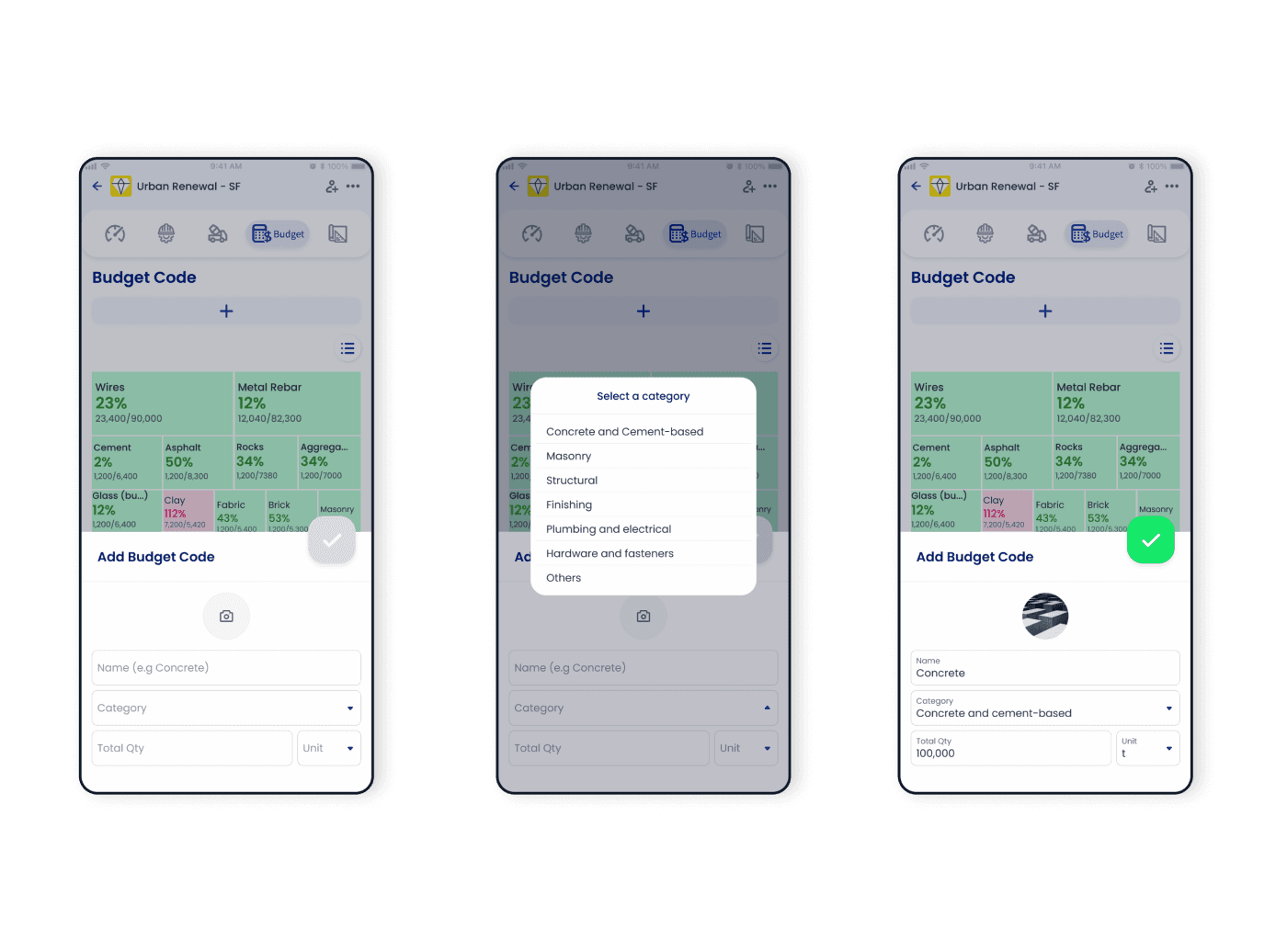
Access the Budget feature within a project
- ▪️
Create Budget Code with estimated quantities required for each material
- ▪️
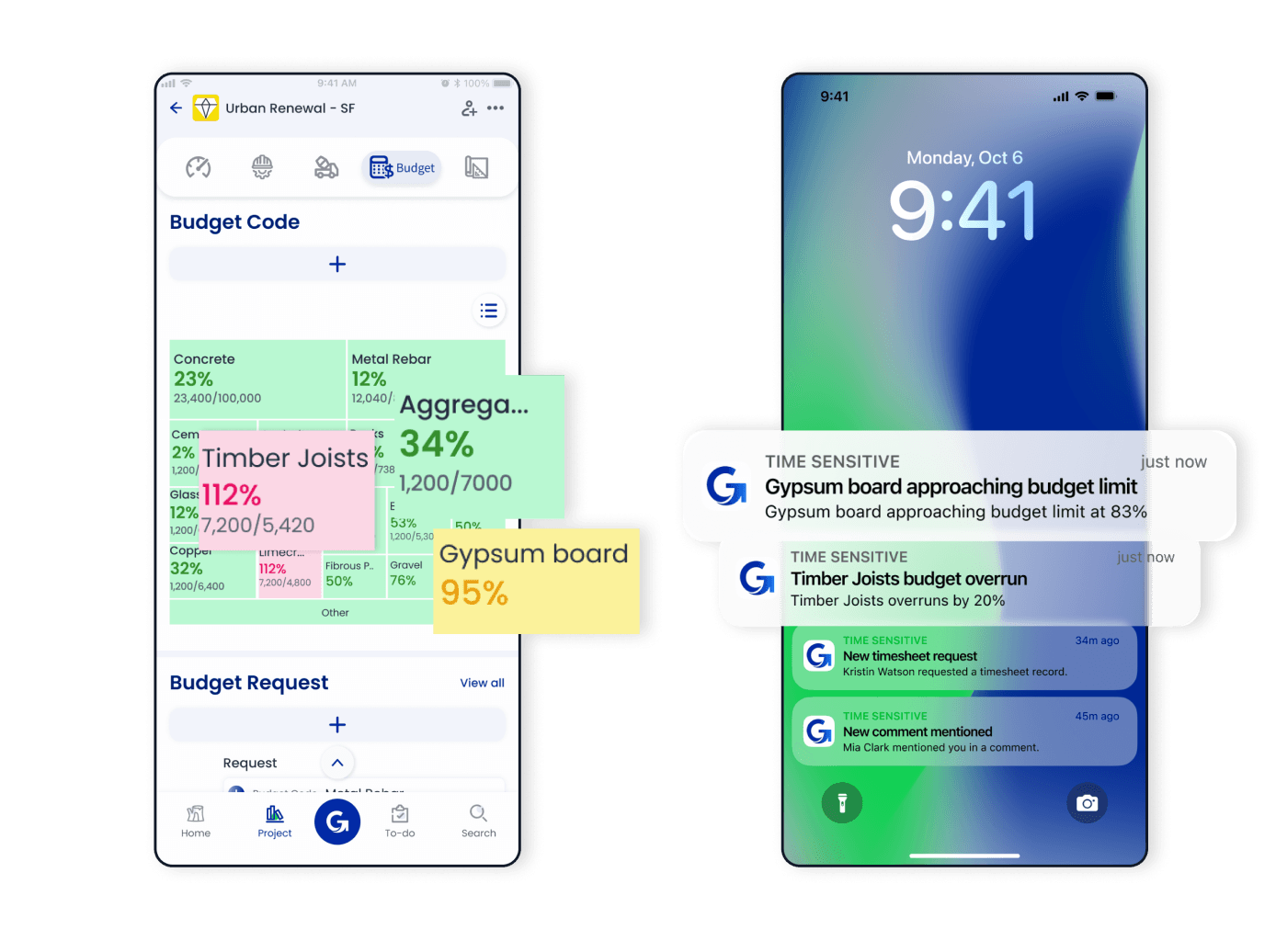
Allocate budget amounts to codes, and GoBuid will show them as percentages and on a treemap
- ▪️
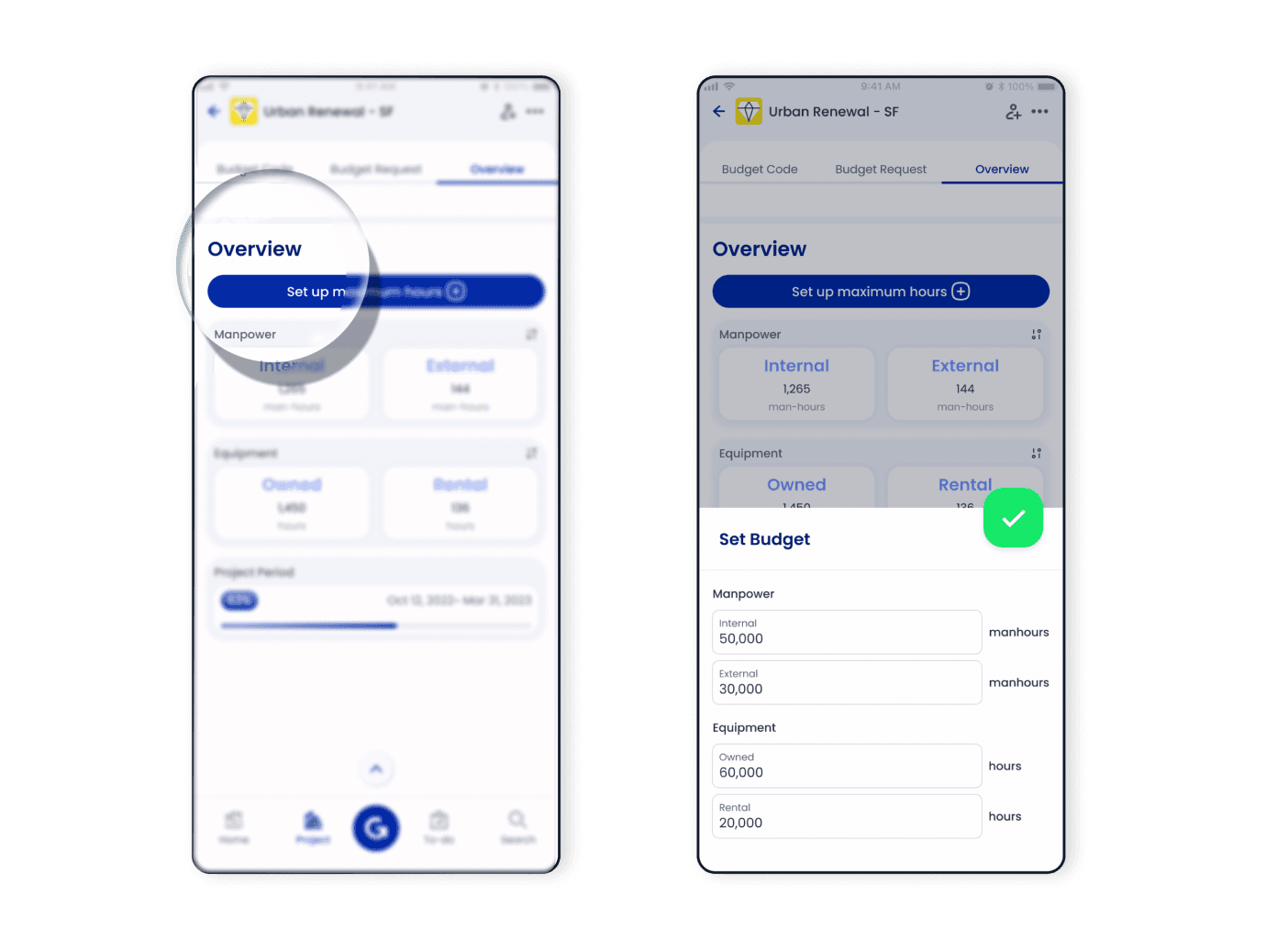
Scroll down to the overview section and tap the setting icon
- ▪️
Set up a planned budget of Manpower and Equipment with maximum hours
- ▪️
Easily edit the budget at any time as needed
Request
Ensure Proper Control Over Budget Allocation
- ▪️
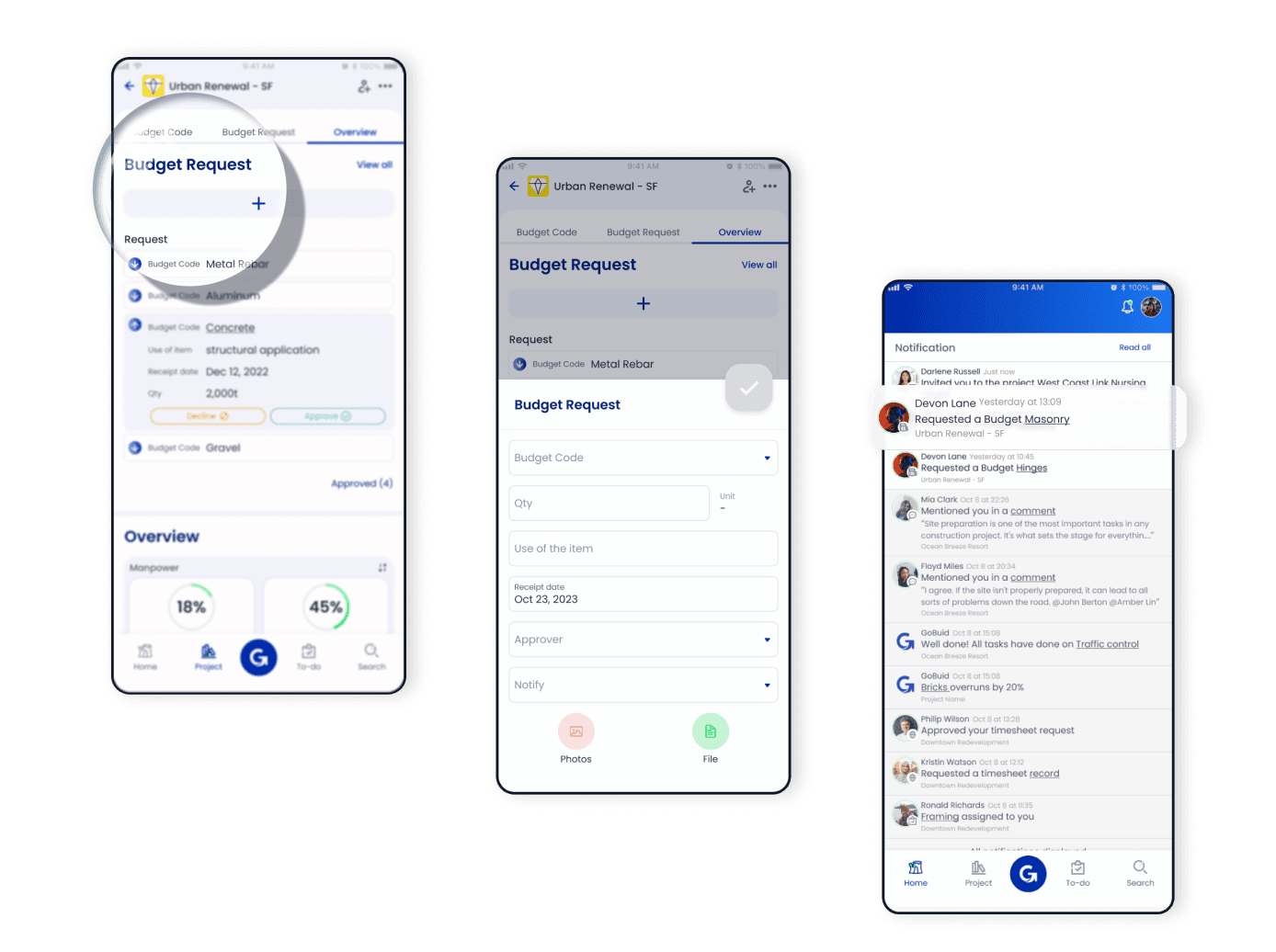
Make a budget request by tapping the add button in 'Budget Request' section
- ▪️
Provide necessary information like quantity needed, item use, receipt date, and approvers
- ▪️
Select members to notify about the budget request, keeping them informed and allowing for input or support
- ▪️
Wait for approval from the relevant authority
Track
Tracking Costs And Usage
- ▪️
Automate manpower cost calculations based on Members' clock-in and clock-out times
- ▪️
Keep track of Equipment usage through check-in and check-out records
- ▪️
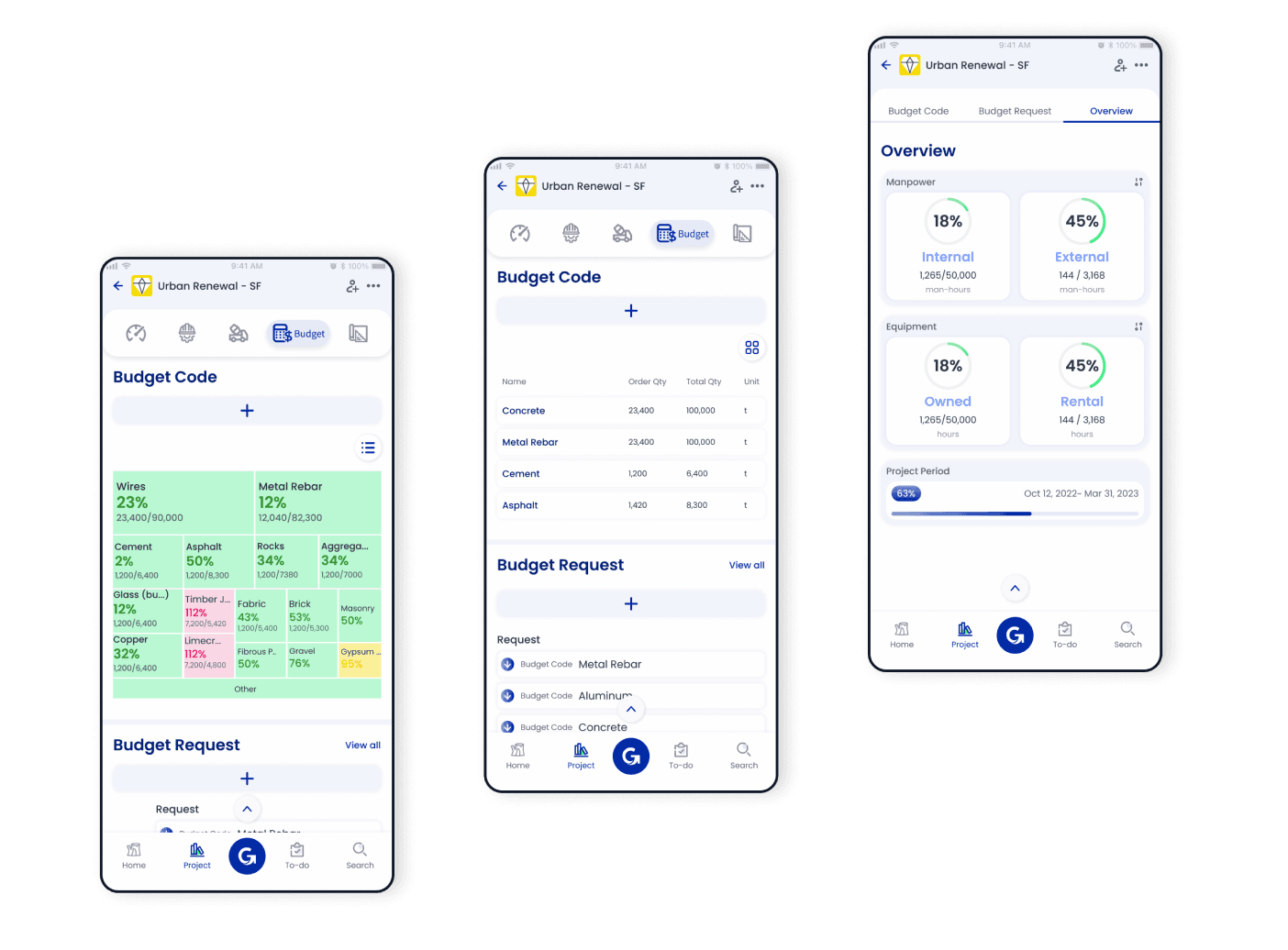
Utilize the comprehensive budget overview and charts
- ▪️
Stay informed about budget percentages to ensure effective cost management
- ▪️
The treemap dynamically changes color based on the ordered quantity of materials: Green (0-80%), Yellow (81%-100%), Red (Over 100%)
- ▪️
Receive timely notifications from GoBuid when budget codes approach or exceed their limits
Analyze
Analyze Budget Request History
- ▪️
Access the 'Budget History' section to view detailed information about your budget requests
- ▪️
Identify any shortages or overestimations in the budget
- ▪️
Use this information to improve future budgeting accuracy

FAQ
Have Questions?
Are there any online tools similar to Excel for construction budgeting?
GoBuid is a powerful cloud-based alternative to Excel that eliminates manual errors and version control issues through real-time, synchronized data. Unlike static spreadsheets, GoBuid links budget tracking directly to site activities and GPS-verified timesheets. The platform visualizes spending through an interactive, color-coded Treemap, allowing managers to identify budget variances instantly. This creates a "Single Source of Truth" where every stakeholder accesses the same live data from any device, eliminating the need for manual file sharing.
Can you recommend a step-by-step guide to prepare a construction budget?
Follow these 5 steps in GoBuid: 1) Define budget codes (e.g., Concrete, Labor); 2) Allocate quantities/funds; 3) Track real-time field usage deductions; 4) Monitor manpower via clock-ins; 5) Analyze history for refinements. Transitions estimates to granular tracking. Improves bid accuracy. Prevents overruns with instant visibility.
Affordable cloud-based construction budget tracking tools?
GoBuid is the most affordable cloud-based solution for SMEs, offering enterprise-level budget control for just $15.90 per user/month. To support growing contractors, GoBuid provides a $1.00 introductory rate for the first three months, allowing teams to digitize their financial tracking with zero financial risk. By automating data entry, the platform reduces administrative time by up to 60%, ensuring that software overhead remains below 0.1% of the total project value. This transparent "pay-as-you-use" model provides a high return on investment without the five-figure contracts required by enterprise competitors.
