7 Best Autodesk Construction Cloud Alternatives for Field Teams in 2026
Stop fighting clunky software. Our guide to the best Autodesk Construction Cloud alternatives helps you find a field-first tool to cut costs & speed up reports.
by Sheldon Huang
|
Why are you paying over $1,600 per user every year for a BIM-heavy platform when your foremen just need to log a daily report without the app crashing? It is a common trap to buy for the boardroom but build for the field. You likely feel the weight of high licensing costs for features your team never touches, coupled with a learning curve that keeps subcontractors stuck on paper. It's time to stop fighting your software and start supporting your site crews.
You deserve a tool that works as hard as your team does, without the clunky mobile lag or administrative bloat. This guide highlights the best Autodesk Construction Cloud alternatives that trade unnecessary complexity for field-first efficiency. We will explore seven streamlined solutions designed to speed up site reporting, drive higher team adoption, and lower your overhead. From lean site diaries to integrated project analytics, discover how to bridge the gap between digital precision and physical reality.
Key Takeaways
- Identify the specific "office-first" biases in legacy software that cause administrative friction and slow down your site crews.
- Evaluate the top Autodesk Construction Cloud alternatives to find a solution that balances project complexity with field-first usability.
- Learn how to eliminate hours of manual data entry by implementing one-click professional reporting and real-time manpower tracking.
- Discover the benefits of trading expensive, unused BIM features for a lean digital site diary that drives higher team adoption rates.
The Hidden Cost of Complexity: Why Teams Outgrow Autodesk Construction Cloud
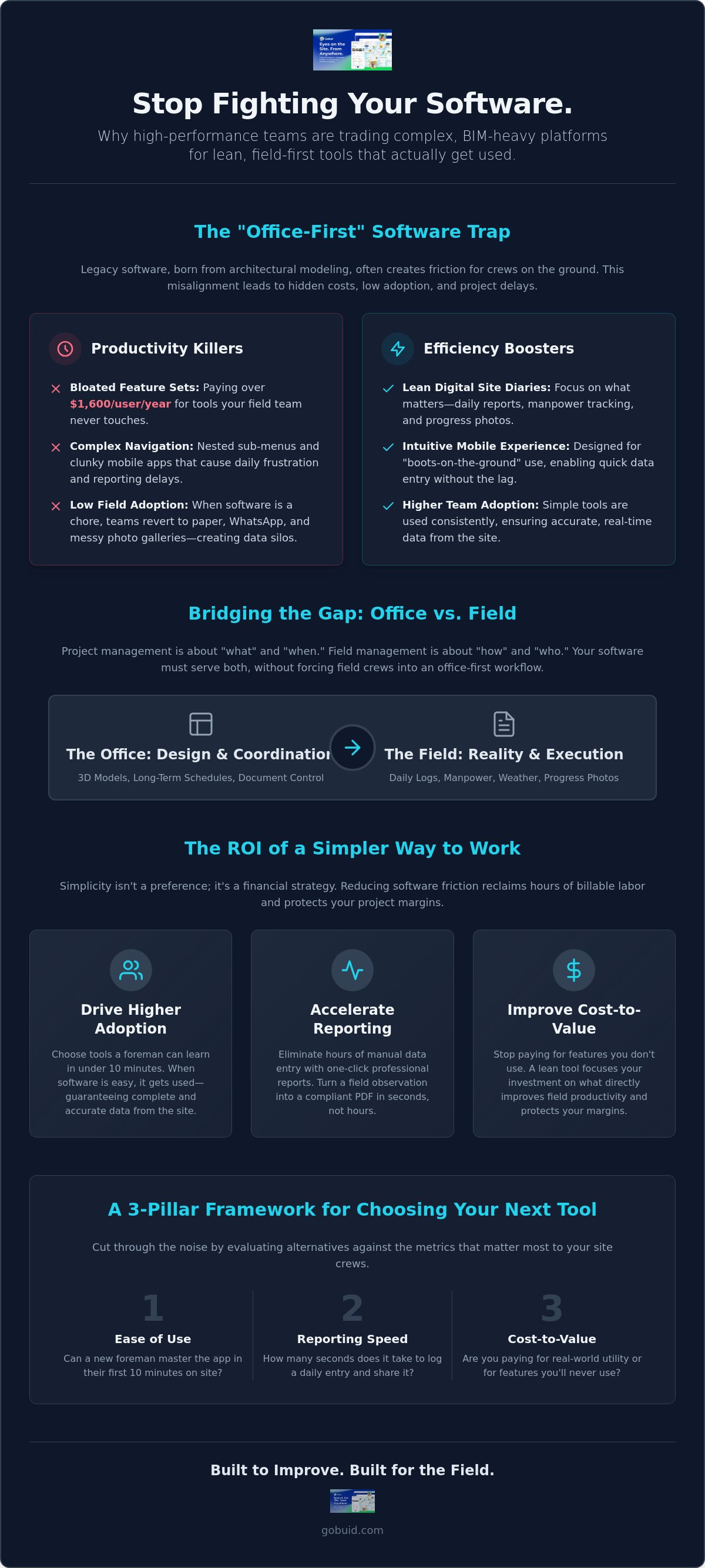
Autodesk Construction Cloud (ACC) is a powerhouse for design coordination, but it often stumbles at the site gate. The platform carries an "office-first" bias, born from a heritage of architectural modeling rather than boots-on-the-ground execution. For a foreman in high-vis, navigating nested sub-menus to log a simple weather delay isn't just annoying; it's a productivity killer. When software feels like a chore, teams revert to shadow systems. You've seen it before: paper diaries, messy WhatsApp groups, and fragmented photo galleries that never make it into the official record.
The licensing trap adds another layer of frustration. Paying over $1,600 per user annually for the full Build suite is a heavy burden when most of your stakeholders only need to record manpower or snap progress photos. This misalignment is why many firms are actively seeking Autodesk Construction Cloud alternatives that prioritize utility over exhaustive feature lists. High costs shouldn't be the price of entry for basic site documentation.
The BIM vs. Field Execution Gap
A 3D model environment provides incredible detail, but it's often the wrong place for a daily site diary. High-level enterprise project portfolio management software excels at long-term scheduling, yet it rarely captures the granular reality of a muddy site on a Tuesday morning. Project management is about the "what" and "when," but field management is about the "how" and "who." If your software requires a degree in BIM to update a task status, your data will always be late.
Calculating the ROI of Simplicity
Every extra click required to generate a report is a direct tax on your project margin. Software friction is a hidden drag on project margins that quietly erodes profitability through administrative burnout. By reducing the time spent on data entry, you reclaim hours of billable labor every week. Simplicity isn't just a user preference; it's a financial strategy for high-performance teams that value speed and accuracy over complex menus.
Evaluating Autodesk Construction Cloud Alternatives by Project Needs
Selecting the right software depends entirely on the scale and nature of your project. Enterprise heavyweights like Oracle Aconex are built for mega-projects where complex document control is non-negotiable. These platforms excel in environments governed by strict regulations, such as those found in the Federal-aid construction program. However, for many contractors, high-tier enterprise suites introduce more friction than they solve. Mid-market contenders offer a middle ground, providing specialized modules for MEP and civil subcontractors who need specific tracking without the enterprise price tag.
If your priority is high-speed data entry and immediate field adoption, look toward field-first specialists. These Autodesk Construction Cloud alternatives focus on the "one-click" outcome. They prioritize the person holding the tablet on-site over the executive in the office. Before committing, verify integration readiness. Your chosen tool must talk to your existing ERP or accounting stack to prevent data silos. You can review your operational dashboard to see how a streamlined stack fits your current workflow.
A Comparison Framework for 2026
To cut through the marketing noise, evaluate potential tools against three specific pillars. First, Ease of Use: can a new foreman learn the system in under ten minutes? Second, Reporting Speed: how many seconds does it take to log a daily entry? Finally, the Cost-to-Value ratio: are you paying for features your team will never use? Explore GoBuid features to see how field-specific tools prioritize these metrics to keep projects moving.
Why "Simple" Doesn't Mean "Basic"
Don't confuse a clean interface with a lack of power. There is a massive difference between low-feature apps and high-efficiency tools. Basic apps might record a note, but high-efficiency platforms use customised forms to ensure professional compliance and legal protection. The goal is to strip away the noise while keeping the essential data points that protect your margins. Real power lies in how quickly you can turn a field observation into a professional PDF.
GoBuid: The Lean Alternative for High-Performance Site Teams
GoBuid strips away the administrative bloat to focus on what actually happens on-site. While many Autodesk Construction Cloud alternatives try to replicate every office-bound feature, GoBuid prioritizes the digital site diary as the heartbeat of the project. It's built for the foreman who needs to capture site reality without fighting a complex UI. By focusing on essential data points like manpower tracking and equipment management, you gain real-time visibility without the heavy BIM overhead. Total transparency is no longer a goal; it's a standard maintained through the Mission Control dashboard.
Empowering the Field Team
Success in the field depends on adoption. GoBuid uses a mobile-first interface designed for rapid photo capture and instant task updates. Foremen can log progress and move on. There's no need for long-term lock-in contracts because the platform relies on performance to keep you around. This flexibility ensures the software stays accountable to your team, not the other way around. It's a no-nonsense approach that respects your time and your project's momentum.
Streamlining Stakeholder Communication
Admin work shouldn't bleed into your weekend. The one-click report generator eliminates "Friday Afternoon Admin" by turning site logs into professional PDFs instantly. This feature bridges the gap between site reality and office data with zero manual re-entry. It provides the ultimate tool for GC-Owner transparency, ensuring everyone sees the same truth at the same time. GoBuid acts as the connective tissue that keeps disparate operational locations in sync.
Build for the Field, Not the Office
Success on the job site comes down to execution, not administrative endurance. You've seen how software complexity often acts as a hidden tax on your margins, pushing teams toward shadow systems like paper and chat apps. By evaluating Autodesk Construction Cloud alternatives through the lens of your field team's daily needs, you can eliminate the friction that slows down reporting and erodes transparency. High-performance teams don't need more features; they need more focus.
GoBuid stands out by prioritizing the digital site diary as your project's heartbeat. With no lock-in contracts and a mobile-first interface designed for field adoption, it provides the tools your team will actually use. You can generate professional reports with one click and maintain real-time visibility over manpower and equipment without the BIM overhead. It's time to trade clunky menus for streamlined results and empower your crew to move faster.
Ready to ditch the complexity? Start your GoBuid trial today.
Your team is ready to work. Give them the tools to finish the job and keep your projects moving forward with total clarity.
Frequently Asked Questions
Is Autodesk Construction Cloud too complex for small contractors?
Autodesk Construction Cloud is often built for architects and large-scale engineers, making it unnecessarily complex for smaller trade contractors. You'll likely spend more time navigating sub-menus than actually logging work. For teams that don't need heavy BIM coordination, the high licensing costs and steep learning curve create administrative friction that outweighs the benefits. Most small firms need utility, not an exhaustive suite of design tools.
What is the best simple alternative to Autodesk Construction Cloud for site diaries?
GoBuid is the most effective choice among Autodesk Construction Cloud alternatives for teams prioritizing daily documentation. It replaces clunky interfaces with a digital site diary designed for one-click professional reporting. This focus on field-first efficiency ensures your foremen can log manpower and equipment data in seconds. It keeps the project heartbeat accurate without the office-centric bloat found in enterprise systems.
Can I use GoBuid alongside my existing BIM software?
You can absolutely use GoBuid alongside your existing BIM or design software. While tools like Revit handle the technical modeling, GoBuid acts as the connective tissue for site execution. It captures the physical reality of the project, such as progress photos and safety inspections. This allows you to maintain a lean field layer while still utilizing specialized software for complex engineering tasks.
How long does it take to train a field team on a new construction management platform?
Training time depends entirely on the software's complexity. Large enterprise platforms often require weeks of formal sessions and dedicated support staff. In contrast, lean Autodesk Construction Cloud alternatives are designed for immediate adoption. Most field teams can master the basic site diary and photo capture features in under ten minutes. This speed minimizes downtime and ensures your crew stays focused on high-quality execution.
