Construction Site Diary Software: A Practical Buying Guide
Select the right 施工日誌軟體 with our practical guide. Streamline field logs, photo records, and reporting to eliminate double entry on busy construction sites.
by Sheldon Huang
|
A digital site diary is only as useful as the field records your team can capture and act on. The right construction site diary software should bring daily notes, photos, manpower updates, and inspection records into a clear workflow, not add another task to a busy site. When records are spread across forms, messages, and spreadsheets, reports take longer to assemble and are harder to review.
This guide gives you a practical checklist for comparing options. Assess how each system handles daily capture, documentation, reporting, and team adoption, then match those capabilities to the way your crew works. The goal is consistent records, easier reporting, and a workflow your team can keep using as project needs change.
Key Takeaways
- Choose 施工日誌軟體 based on how well it supports accurate field capture and turns daily records into useful reports.
- Compare photo documentation, custom forms, report output, and connected workflows against the way your team works on site.
- Look for consistent records that field and office teams can review without entering the same information twice.
- GoBuid connects the digital site diary with reporting, progress, workforce, and inspection workflows.
What Construction Site Diary Software Should Do on a Live Jobsite
Construction site diary software gives teams a digital workflow for recording daily activity, progress, and supporting evidence. With 施工日誌軟體, crews can keep field records together instead of chasing notes across paper forms, photo galleries, and messages.
A digital site diary is a structured, searchable record of daily work, not a folder of disconnected photos and forms. That structure matters across construction management, where project control and quality work depend on clear information. Consistent entries help site teams review what happened and give office teams a more dependable record to work from.
See how a site diary workflow can look in practice:
Which daily site records belong in a digital diary?
Capture records where the work happens, while details are clear. A useful diary can bring together:
- Dated progress notes and photos showing work completed or site conditions.
- Workforce activity and equipment use relevant to the day’s work.
- Inspection records, including applicable safety and quality checks.
Use clear project references and consistent entry practices so each record makes sense later. For example, connect a progress photo with a dated note about the work shown, rather than leaving it in an unlabelled gallery. This gives field and office teams a shared view of daily activity and makes reviews and report preparation more straightforward. Explore daily site report features to see how organized site documentation can be turned into reports.
How to Compare Construction Site Diary Software Before You Buy
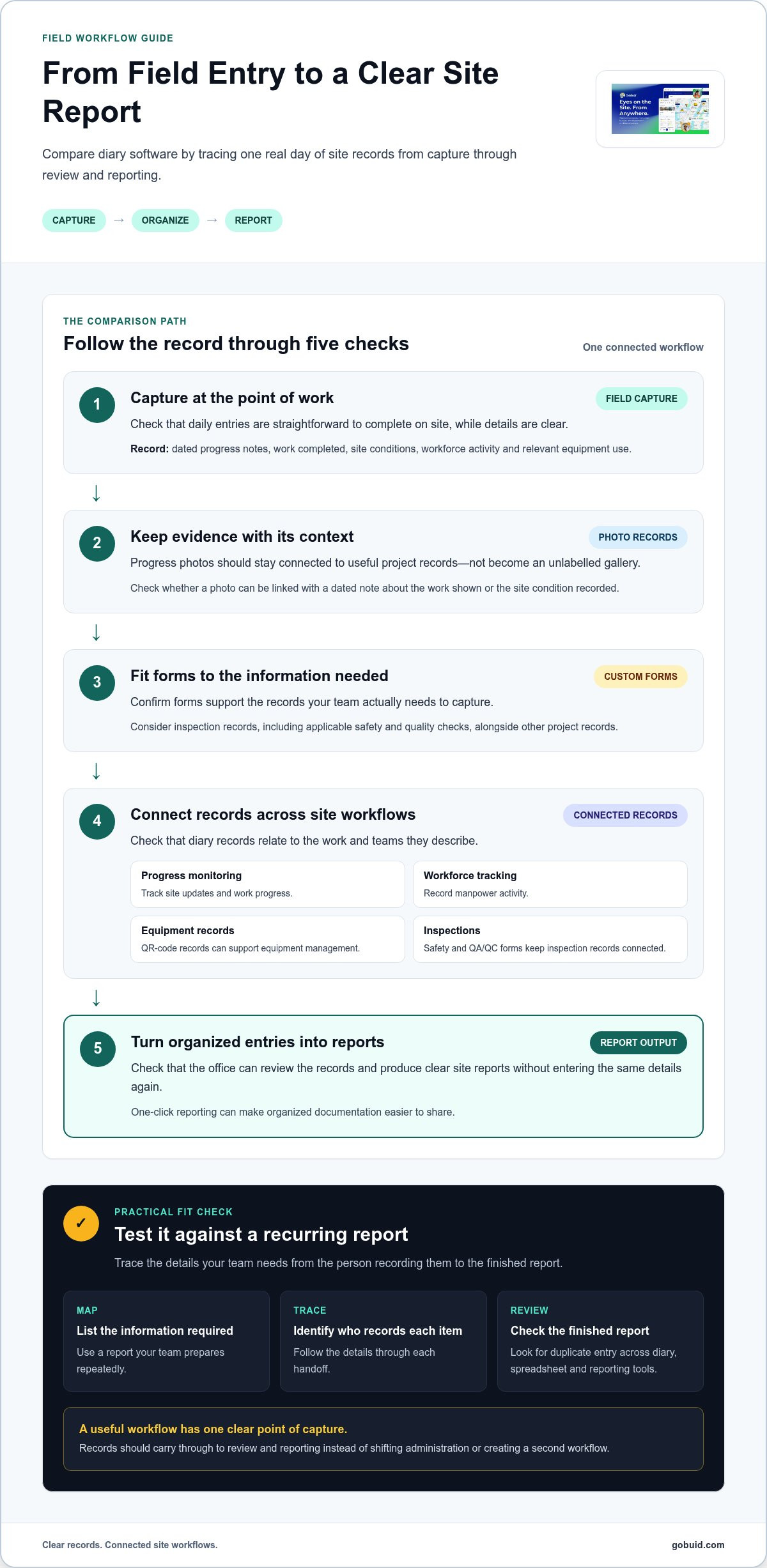
Good 施工日誌軟體 should fit the way your crew records work, not create a second workflow to maintain. Trace a typical entry from field capture to final report: can the team record the information clearly, and can the office use it without re-entering the same details?
| Check | What to look for |
|---|---|
| Field capture | Daily entries are straightforward to complete at the point of work. |
| Photo documentation | Progress photos stay connected to useful project records. |
| Customizable forms | Forms support the information your team needs to record. |
| Report output | Organized entries can be turned into clear site reports. |
| Connected workflows | Diary records relate to progress, workforce, equipment, and inspections. |
Test the workflow against a real day on site. List the information needed for a recurring report, identify who records each item, then follow those details through to the finished report. If staff must enter the same update in the diary, a spreadsheet, and a separate reporting tool, the software may shift admin rather than reduce it. Prioritize one clear point of capture and records that carry through to review and reporting.
What features make a site diary useful beyond daily notes?
Choose capabilities based on the work they support. Progress monitoring helps teams track site updates, while workforce tracking records manpower activity. QR-code equipment records can support equipment management, and one-click reports make organized documentation easier to share. Safety and QA/QC forms help keep inspection records connected to site information. Explore GoBuid’s construction software features and consider how custom digital forms could support your team’s records.
For a practical reference point, see how GoBuid brings site workflows together.
When GoBuid Fits Your Site Diary and Reporting Workflow
GoBuid connects daily site records with progress updates and report generation. Its Digital Site Diary and one-click reporting support a workflow where field entries become useful project information. Accurate, timely capture by the team remains essential to producing clear reports.
GoBuid’s connected workflows have also supported specific customer results. Ironwood cut 35 hours of weekly payroll admin using GPS geofencing. CBS Builders achieved 100% compliance and zero stop-work orders with GoBuid’s electronic Permit to Work module. These results relate to workforce tracking and ePTW, respectively, and are not guaranteed outcomes from diary or reporting use.
How can teams assess fit before moving field records online?
Start with one recurring report. Map the information it needs, who records each item, where handoffs happen, and how the final report is assembled. Then consider how GoBuid’s workflows can bring those inputs together:
- Progress monitoring and photos for work updates.
- Custom forms for inspection or project records.
- Manpower tracking for workforce activity.
- Equipment management for equipment records.
Use this workflow to judge whether 施工日誌軟體 makes field capture clearer and reduces repeated entry for the office team. Explore GoBuid’s site diary and reporting features to see how these capabilities fit together, then explore GoBuid as a practical next step for your team.
Choose a Diary Workflow Your Team Can Keep Using
The right 施工日誌軟體 should make field records easier to capture, review, and turn into useful reports. Compare tools against your actual site workflow, from daily progress and photos to forms, workforce, equipment, and report output. Clear, complete records matter more than a long feature list.
GoBuid connects a Digital Site Diary with progress monitoring and one-click reporting. Its wider site workflows have also supported documented customer results: Ironwood cut 35 hours of weekly payroll admin using GPS geofencing, while CBS Builders achieved 100% compliance and zero stop-work orders with GoBuid’s ePTW module. These are specific customer outcomes, not a promise of the same results for every team.
Start with the reporting process your crew repeats most often. Trace each required detail from the person capturing it to the final report, then assess whether a connected workflow can reduce handoffs without adding duplicate entry. Explore GoBuid’s construction site-management features and take the next step toward clearer, more consistent site records.
Frequently Asked Questions
What is construction site diary software?
Construction site diary software provides a digital way to record site activity, progress, photos, and project information over time. Its value comes from consistent field capture and records that teams can access and review, not simply from storing files online. A digital diary focuses on the daily site record; broader project-management systems may include additional capabilities.
What should construction site diary software include?
Useful features depend on your team’s workflow, but 施工日誌軟體 should support clear daily entries, progress photos, forms, and report creation. Integrating tools like an automated photo labeling app can help ensure site images and inspection records are properly categorized without extra admin work. Consider access to relevant project records, plus workforce, equipment, safety, or quality functions where they fit your work. Compare how information moves from site capture to review and reporting, and check whether the process avoids duplicate entry.
Can construction site diary software generate daily reports automatically?
Some systems can compile captured site information into daily reports, but the output depends on accurate, timely field entries. GoBuid supports one-click report generation from its site documentation workflow. This helps organize information for reporting, but it does not replace the team’s responsibility to review records and correct errors. Dependable reporting starts with reliable capture on site.
How do I choose site diary software for a small construction team?
Map your current diary and reporting process, including who records information and where it gets re-entered. Compare field usability, photo and form capture, report output, and the connected workflows your team needs. Check whether the software removes duplicate admin or adds another entry point. Keep the evaluation practical by assessing the system against your team’s day-to-day requirements.
