Equipment Readiness and Inspection App: A Field Checklist
Choose the right equipment readiness and inspection app. Use our field checklist to streamline pre-start checks, track defects clearly, and cut jobsite delays.
by Amelia Grant
|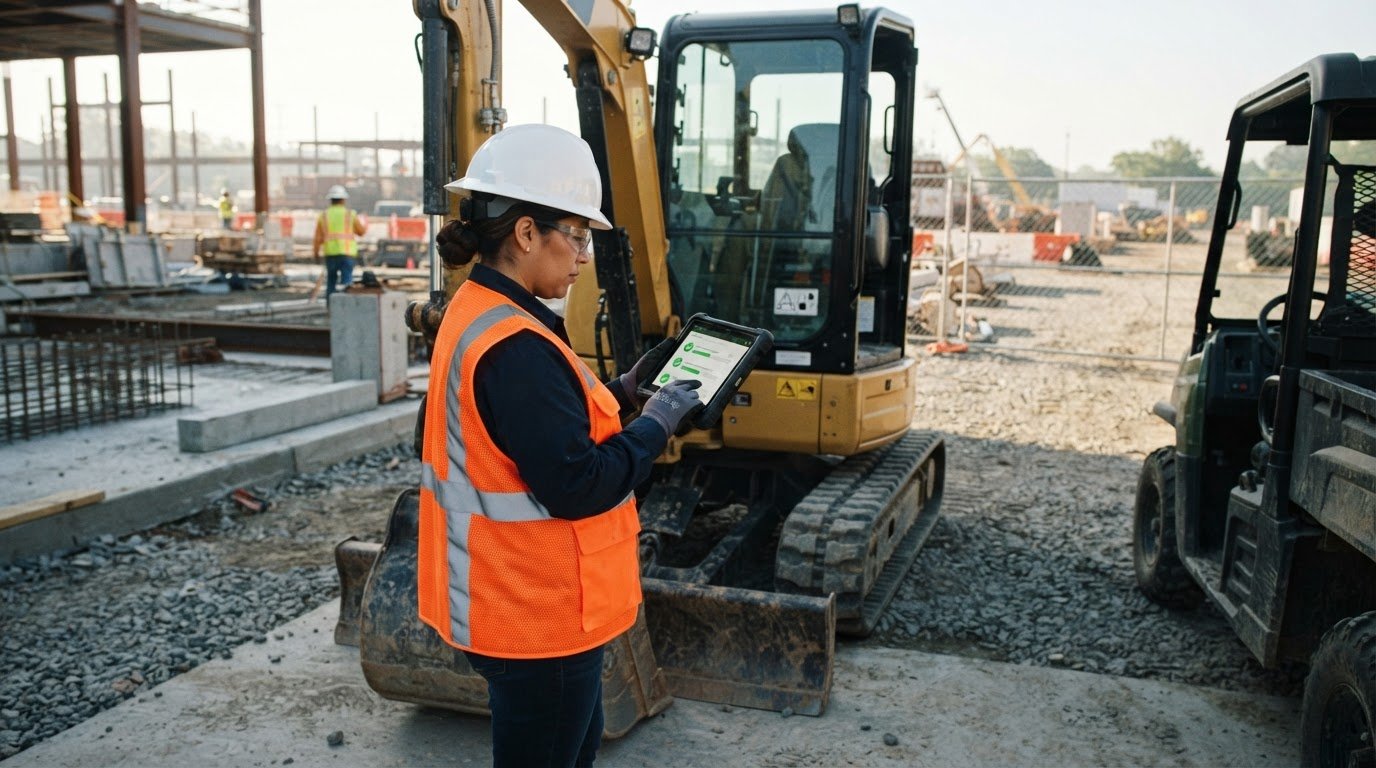
What good is a pre-start check if a defect disappears into a paper form or message thread? An equipment readiness and inspection app should do more than digitize a checklist. It should help crews complete consistent checks in the field, record issues clearly, and make equipment information easier to find when the team needs it.
Inspections are useful when records are complete and follow-up is visible. This guide gives you a practical checklist for assessing whether inspection software fits your site workflow, rather than adding another disconnected form. You’ll learn what to look for in field-ready checks, equipment identification, defect records, and project documentation. GoBuid’s QR-code-enabled equipment tracking and digital forms help bring equipment information into site-management workflows. Physical inspections and professional judgment remain essential.
Key Takeaways
- Use an equipment readiness and inspection app to make checks, equipment identification, and records easier to follow in the field.
- Assess whether the workflow helps crews record issues consistently and makes follow-up clear.
- Look for a practical way to retrieve equipment records and connect checks with wider site documentation.
- QR-code equipment tracking, digital forms, and daily reporting can support clearer site records.
What an Equipment Readiness and Inspection App Should Help Your Site Control
An equipment readiness and inspection app gives crews a digital way to identify equipment, record checks, and retrieve inspection information. Its value comes from keeping each check associated with the equipment it concerns, instead of leaving details scattered across paper forms and messages.
Keep the workflow straightforward: identify the equipment, complete the relevant check, record observations or defects, and document the next action. A QR code can help a team reach the right equipment record. GoBuid’s equipment management tools use QR-code-enabled tracking to help teams identify equipment records.
Inspections are one part of broader maintenance activities. Software can make checks and records more consistent, but it does not replace a physical inspection, equipment instructions, or the judgment of the person doing the work.
See an example of a mobile equipment inspection workflow:
What belongs in a useful equipment readiness record?
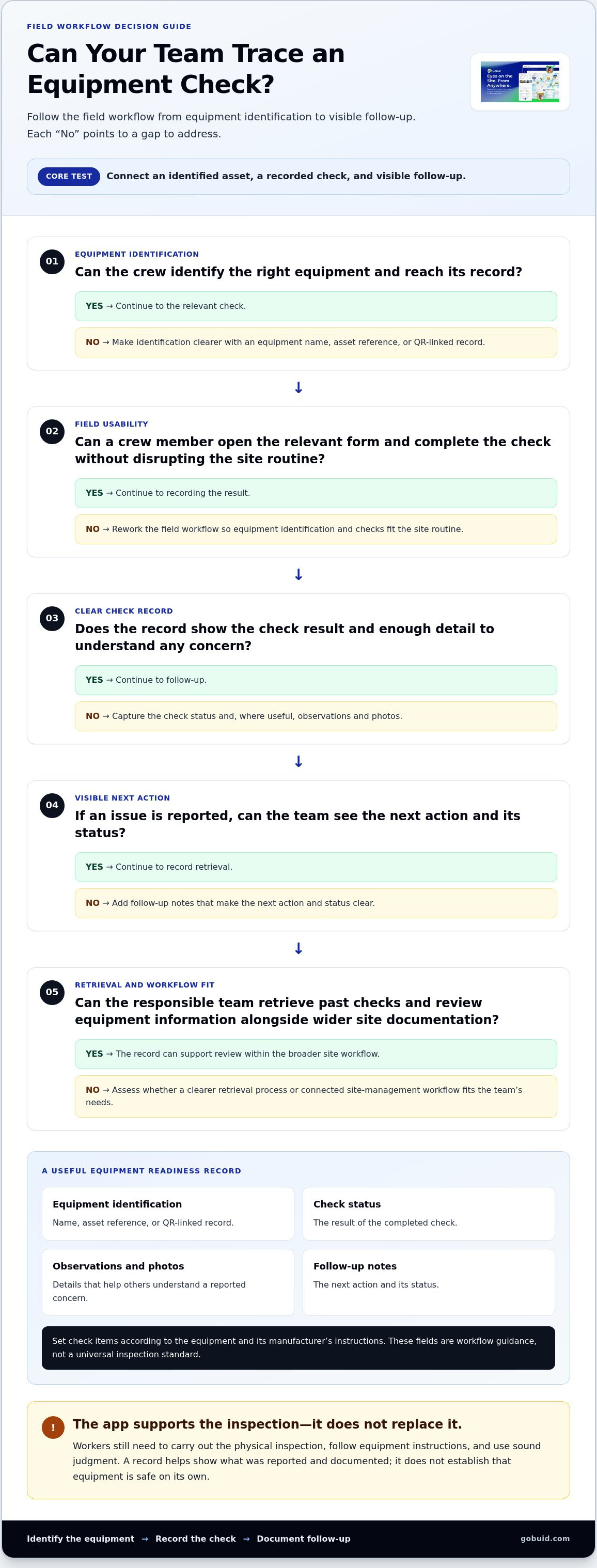
A useful record links an equipment identifier to a check result and any required follow-up. Consider whether the workflow can capture fields such as:
- Equipment identification: a name, asset reference, or QR-linked record.
- Check status: the result of the completed check.
- Observations and photos: details that help others understand a reported concern.
- Follow-up notes: the next action and its status.
These are general workflow fields, not a universal inspection standard. Set check items according to the equipment and its manufacturer’s instructions. A useful record makes the result and next step easy for the site team to trace.
Equipment Inspection App Checklist: Evaluate the Field Workflow
Test the workflow against a real pre-start routine, not just a feature list. Can a crew member identify the right machine, open the relevant form, record a check, and leave a clear record for the next person? GoBuid’s equipment tracking feature uses QR codes to help connect equipment identification with its record.
The core test is simple: the workflow must connect an identified asset, a recorded check, and visible follow-up. For teams working under US requirements, the OSHA Safety and Health Regulations for Construction provide a reference for construction safety requirements. Apply the procedures relevant to your site and follow equipment manufacturer guidance.
Can an app replace a pre-start inspection?
No. An app records and organizes checks, while a worker still needs to carry out the physical inspection and use sound judgment. Clear records help the site team see what was reported and what follow-up was documented. They do not establish that equipment is safe on their own. For construction and industrial teams looking to strengthen their technical oversight, specialized health and safety consultancies such as DL Safety can help ensure site procedures and inspection routines remain robust and compliant.
A quick checklist for comparing equipment inspection software
- Field usability: Can crews identify equipment and complete checks without disrupting the site routine?
- Consistent forms: Can the relevant inspection form capture results in a clear, repeatable way?
- Traceable records: Can the responsible team retrieve and review past checks?
- Action visibility: Does the record clearly show the issue, next step, and status?
- Workflow fit: Can equipment checks sit alongside wider project documentation?
Use these criteria to assess whether an equipment readiness and inspection app supports your team’s actual process. Explore GoBuid’s construction site-management software to see how equipment records can fit into wider site workflows.
Connect Equipment Checks to Site Records and Reporting
A check is more useful when the record can be reviewed alongside other site information. Keep the trail clear: identify the equipment, record the check, document any issue, and retain the record. This helps teams trace what was checked and what was noted without assuming that separate tools automatically share data.
When equipment records need to support broader site documentation
Consistent equipment records give site teams another reference when reviewing project activity. GoBuid includes QR-code-enabled equipment tracking, digital forms, and one-click daily report generation. Use digital forms to structure site records, then consider how that information relates to daily reporting. This is a connected record-keeping workflow, not an automatic transfer between forms and reports.
How to decide whether connected site-management software fits
Start with the gaps in your current routine. If crews need an easier way to identify equipment, document checks consistently, or review site information within a broader workflow, connected software may fit the way your team works. Base the decision on what staff need to capture and retrieve, rather than assuming particular savings or compliance outcomes. For teams aiming to maintain strict regulatory standards, utilizing dedicated health and safety compliance software can help connect everyday field inspections with overarching safety management.
An equipment readiness and inspection app should support a process your team can follow on site. If you’re comparing a standalone checklist with site-management software, explore the GoBuid equipment feature as a practical next step.
Make Equipment Checks Easier to Trace
A reliable equipment readiness and inspection app should help your team connect an identified machine to a completed check, a recorded issue, and documented follow-up. Choose a workflow crews can use consistently and site teams can retrieve when they need to review a record. Digital tools support the process, but physical inspections and worker judgment still matter.
GoBuid brings QR-code-enabled equipment tracking together with digital forms and one-click daily report generation. These tools help keep equipment information alongside wider site records, giving teams a clearer view of the information they’ve captured.
Ready to make equipment records easier to trace? Explore GoBuid’s equipment tracking feature and see how it fits into your site workflow.
Frequently Asked Questions
What does an equipment readiness and inspection app do?
An equipment readiness and inspection app helps teams identify equipment, record completed checks, document observations, and keep inspection information accessible. A consistent record can show the check status and any noted follow-up, making it easier for site teams to review the information. GoBuid combines QR-code-enabled equipment tracking with digital forms and one-click daily report generation.
Can an equipment inspection app replace paper checklists?
It can provide a digital way to complete and store checklists, but it does not replace the physical inspection. The person checking the equipment still needs to follow applicable site procedures and manufacturer guidance. Choose a workflow that captures the information your team needs and keeps records easy to retrieve. Software supports documentation; it does not make equipment safe by itself.
What should I look for in equipment inspection software?
Look for a workflow that lets crews identify equipment, complete consistent forms, record issues, and retrieve past checks. Review how clearly the record shows follow-up and whether the forms fit current site routines. Also consider how equipment records sit alongside wider project documentation, rather than creating another disconnected place to search.
How can QR codes help with equipment tracking on construction sites?
QR codes provide a scannable identifier that can help connect a piece of equipment with its tracking record. This gives crews a practical way to identify the right asset and helps site teams find related equipment information. GoBuid includes QR-code-enabled equipment tracking to support more traceable equipment records within construction site-management workflows.
