How to Use Daily Logs to Support Construction Payment Claims
Learn how daily logs for construction payment claims connect site work, labor, quantities, and delays to pay applications—and keep records clear for review.
by Sophia Bennet
|
A payment application is easier to support when the work behind each line is documented. Daily logs for construction payment claims are dated records of site activity, labor, quantities, deliveries, weather, delays, and other events. Use them to connect completed work and reported progress to the people, hours, and conditions on site. They support a claim, but they don’t replace any written notice required by the contract.
Keeping daily logs consistent can be difficult when crews are moving and project details are spread across the site. This guide explains what construction daily logs should capture, how they can support payment claims and billing, and how to retain them. Clear, same-day entries with supporting photos make the project record easier to review later.
Key Takeaways
- Keep daily records of site work, crew activity, delays, deliveries, weather, and other events that may explain project progress.
- Use dated, factual entries to connect claim details to the work and conditions recorded on site. A daily log supports a claim but doesn’t replace required written notice.
- Make pay applications easier to substantiate by linking reported progress with quantities, labor, and supporting documentation.
- Set a retention period around contract terms and applicable claim, warranty, and company recordkeeping requirements. GoBuid’s customised forms and one-click reports can help organize project records.
How long should daily logs be kept?
Complete a log each working day, recording events when they happen. Submit it as required by the contract; some public-project contracts require daily reports. Prompt-payment and mechanic’s-lien requirements vary and may set deadlines and documentation steps—just as property owners often utilize services like Title Fraud Defender to obtain lien reports and monitor public records for unexpected filings. Keep logs with related records, but don’t treat a log as a substitute for a required notice or filing.
- Set a retention period. Follow the contract and company record-retention policy, alongside legal or accounting advice. Keep logs at least as long as the contract, warranty, and claim periods run. State repose limits or insurer requirements may call for longer retention. Many contractors keep project records for several years.
- Record the full site picture. Use a consistent format for completed work, deliveries, equipment, visitors, meetings, and material shortages. Note who was on site and what happened. For example, record a delivery shortage with the supplier, material, and date, rather than relying on memory later.
- Document delays as they happen. Record the cause, duration, affected work area, and activity. Distinguish weather-related, owner-caused, and contractor-caused delays. For example, note rainfall, the work that stopped, and when it resumed; for outdoor construction and hardscaping contractors like Cascade Outdoor Services, maintaining a continuous record of weather disruptions helps validate schedule adjustments and support delay claims.
- Capture safety and weather details. Record incidents, near-misses, toolbox talks, corrective actions, names, and times. Note weather conditions and their effect on work. A log that records 0.4 inches of rain alongside postponed grading and concrete placement gives a dispute reviewer specific context, rather than a general claim that weather caused lost time.
What is a daily log in construction?
A daily log records what happened on site and connects progress with project documentation. For payment or compensation-event claims, consistent entries help show what work was completed and why conditions changed.
-
Identify the Claims the Log Supports
Match each entry to the payment item or potential compensation event it may support. Record work completed, labor, quantities, delays, and relevant photos, then connect them to inspections, RFIs, and other project records. For example, note when the architect received RFI 22 at 1:40 p.m. Avoid treating a log as a replacement for formal claim notices or contract documents.
-
Record Instructions and Extra Work
Record each instruction when it arrives, including who gave it, when, the affected location, and the resulting work. Link the entry to the relevant change order, drawing, or RFI, and distinguish extra work from planned scope. Note crew time, materials, and progress to show what changed. Don’t label an instruction approved unless the project record supports that status.
- Connect supporting records. Use a consistent template to point from the log to inspection results, photos, and project documents. If an inspection identifies incomplete work, record the issue and the work needed before re-inspection. This gives reviewers context without relying on separate entries or memory.
- Track notice and cost records. Under NEC4 clause 61.3, contractors must notify compensation events within 8 weeks of becoming aware of them. Record when the event became known, then maintain the related cost records and supporting entries. The log supports the claim, while the contract’s notice process remains separate.
Daily logs supporting pay applications and billing
Build each pay application from dated field details, not reconstructed memories. Logs help connect reported progress to work actually completed.
-
Gather Details for Payment Claims
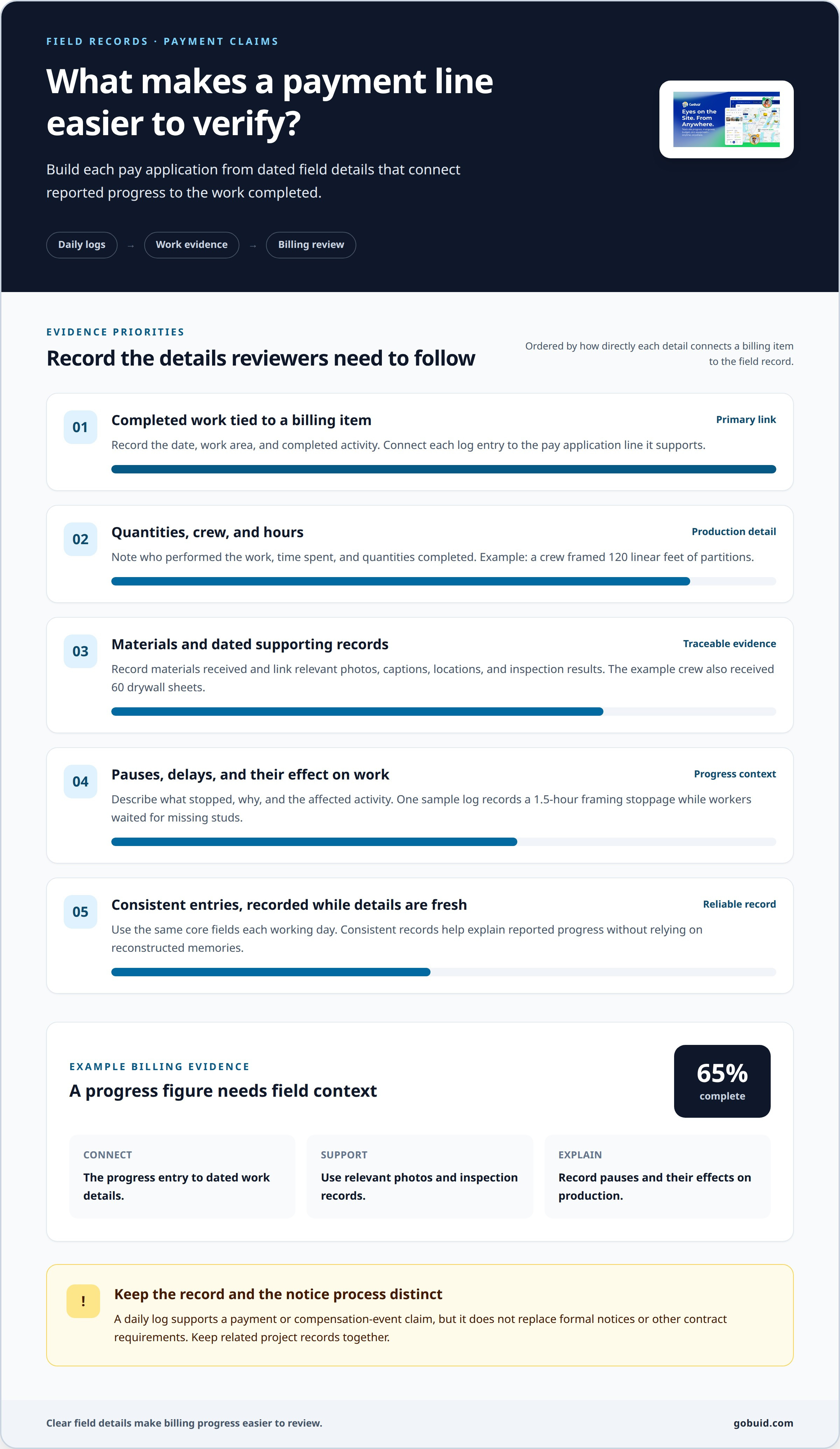
Record the date, work area, crew, hours, completed quantities, materials, and relevant conditions. For daily logs for construction payment claims, connect each entry to the billing item it supports. A foreman could note that a crew framed 120 linear feet of partitions and received 60 drywall sheets. Add dated photos with a location and caption. Include inspection results or incidents when they affect progress.
-
Use Logs to Support Billing
Match each pay application line item to the daily reports, photos, and inspection records that show progress. For example, a 65% complete entry gains context from dated work details and images. Record pauses and their effects, too: a sample log notes a 1.5-hour framing stoppage while workers waited for missing studs. Keep these records together so daily logs for construction payment claims can help explain actual production and answer billing questions.
-
Choose Log Tools or Templates
Choose a template or software format that captures the same core details consistently. Useful fields include work completed, crew hours, quantities, deliveries, delays, and photo attachments. A tool can help organize entries and assemble reports, but it can’t replace accurate field notes. Keep the workflow simple enough for the foreman to complete while events are fresh.
Bring daily records together with one-click project reports to support clearer billing reviews.
GoBuid
GoBuid helps construction teams organize daily site records for progress reviews, billing support, and project follow-through. Customised forms capture the fields that matter on your project, while Manpower Tracking documents crew activity. Safety & Quality Inspections keep inspection records alongside other site documentation. When it’s time to share project information, generate a report in one click.
Use these tools to support a consistent record, not to replace contract notices or required claim procedures. If your team wants a clearer way to document site activity and prepare project reports, contact GoBuid.
Make Clear Records Part of the Next Project
Set a practical documentation standard before work begins. Decide how field teams will record daily activity, connect records to billing, and keep project information available for later reviews. Consistent records across crews are easier to use as the job moves from active work to closeout.
Daily logs for construction payment claims work best when they reflect what happened on site and fit the team’s routine. GoBuid’s Digital Site Diary and Customised forms help structure entries, while one-click reports make project information easier to assemble when needed. Focus the process on useful field details, not paperwork for its own sake.
Ready to make project documentation clearer for your team? Contact GoBuid to discuss your project. Take the next step with a recordkeeping approach built around the way your crews work.
Frequently Asked Questions
Is a daily log legally required?
There’s no single requirement that applies to every U.S. construction project. A contract may require daily reports, as some public-project contracts do. Contract terms and applicable state requirements determine what records a contractor must provide. Review the project’s reporting and claim provisions before work starts, then follow the specified format and submission process.
What's the difference between a daily log and a daily report?
The terms often overlap, but a daily report may include more supporting material than a log’s core record. For example, a field report can add inspection notes, photos, or documents that provide context for the day’s activity. Use the project’s terminology consistently, and link supplementary records to the relevant date and work area.
Can I use a spreadsheet as my daily log?
Yes. A spreadsheet can work if it has consistent fields for dates, work areas, crews, progress, delays, and supporting files. Use a clear project naming format and control who can edit the record. Keep entries readable and preserve dated corrections so reviewers can distinguish an original entry from an amendment.
How Do You Maintain Consistency Across Multiple Jobsites?
Use one shared template and define the same required fields for every project. Assign a responsible recorder at each site, and use consistent labels for trades, work areas, and event types. For example, standardize how crews record weather stoppages across projects. Review completed logs regularly to catch missing fields before they affect reporting.
What Makes a Daily Log Defensible?
A defensible log lets a reviewer understand what happened without relying on the writer’s interpretation. Record who gave an instruction, what was said, and when it occurred. Keep supporting files connected to the relevant entry. For digital records, a timestamp and creator identification can help establish when an entry was made and who made it.