OSHA Compliance Reporting Software: The 2026 Guide to Audit-Ready Construction
Use OSHA compliance reporting software to automate site logs and pass inspections. Our 2026 guide shows you how to avoid fines and create audit-ready reports.
by Amelia Grant
|
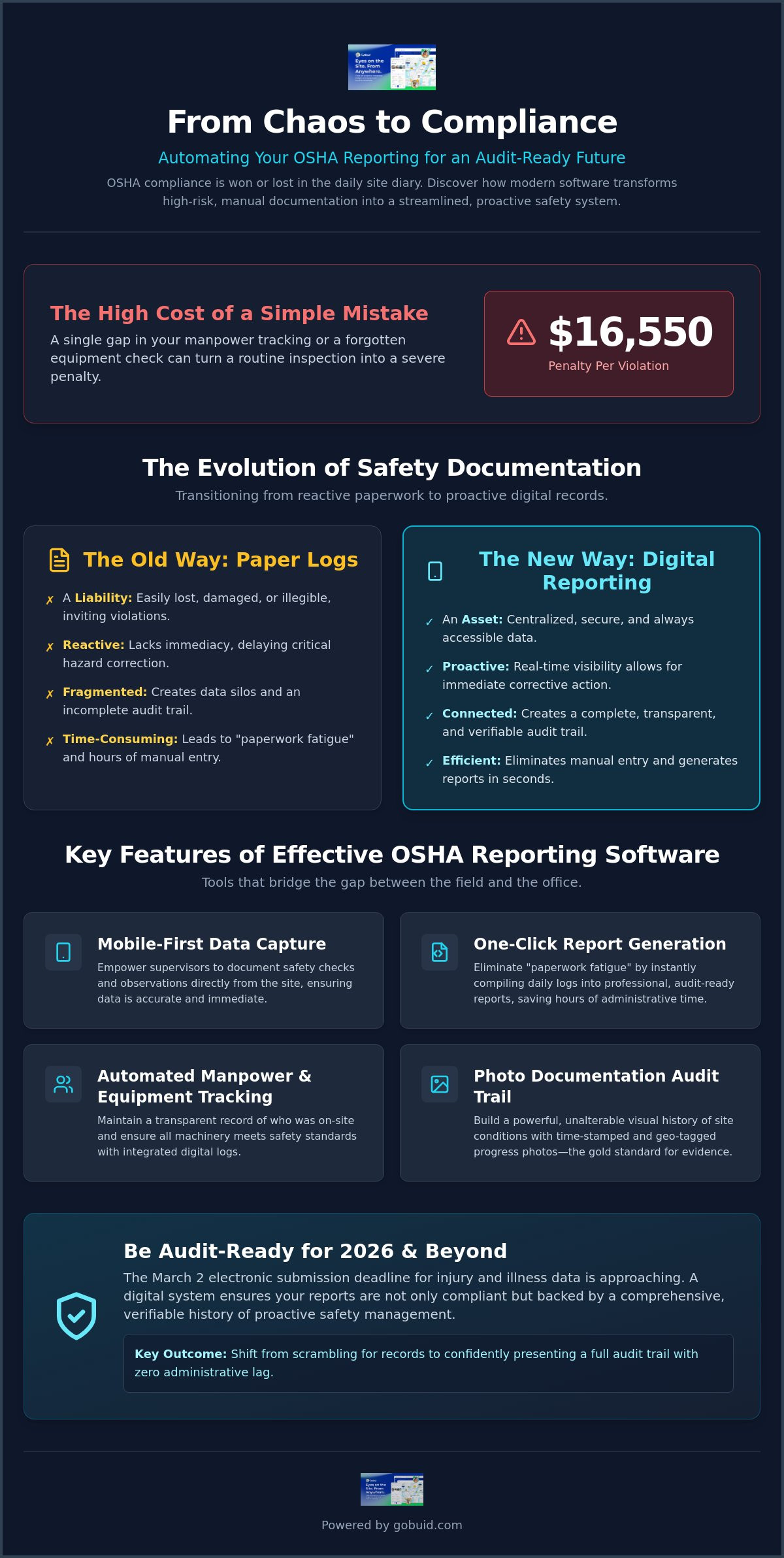
OSHA compliance is won or lost in the daily site diary, not the injury log. For most site managers, the reality of safety documentation involves hours of manual data entry and chasing down missing logs after a long shift. You know that a single gap in your manpower tracking or a forgotten equipment check can turn a routine inspection into a $16,550 penalty. It's a common struggle to balance high-quality execution with the heavy burden of regulatory recordkeeping.
The right OSHA compliance reporting software transforms this chaotic workflow into a streamlined, audit-ready system. This guide shows you how to automate your safety documentation and generate OSHA-ready reports with a single click. We will break down the 2026 reporting deadlines, including the March 2 electronic submission requirement for injury data, and explain how to maintain a full audit trail with zero administrative lag. You'll learn how to gain real-time visibility into site safety while reclaiming the hours previously lost to manual spreadsheets. It's time to bridge the gap between field operations and office compliance.
Key Takeaways
- Build a proactive safety culture by replacing fragmented paper logs with a centralized digital site diary.
- Discover how OSHA compliance reporting software eliminates manual data entry by capturing real-time site data directly from the field.
- Shift safety documentation from the office trailer to the site with mobile-first inspections and progress photo integration.
- Eliminate "paperwork fatigue" for site supervisors by generating professional, audit-ready reports in seconds.
- Centralize manpower and equipment tracking to create a transparent audit trail that protects your project from recordkeeping violations.
The Role of Digital Documentation in OSHA Compliance
Modern construction safety is no longer about reacting to accidents. It's about preventing them through data. OSHA compliance reporting software serves as your digital defensive line, capturing every safety check and site condition before a hazard becomes a headline. By moving beyond basic recordkeeping, you create a proactive environment where risk mitigation is built into the daily workflow. The Occupational Safety and Health Administration (OSHA) requires rigorous documentation, but manual systems often fail under the weight of active project sites.
Reactive safety management is a relic of the past. If you only document incidents when they happen, you've already lost. Effective OSHA compliance reporting software shifts the focus from injury logs to daily site documentation. It turns every supervisor into a risk manager by standardizing the way safety data is captured in the field. This transition ensures that your 2026 injury and illness data submissions, due by March 2, are backed by a mountain of evidence showing proactive care.
To better understand the regulatory framework behind these requirements, watch this helpful video:
Why Paper Logs are a Liability in 2026
Physical logs are a liability. They get lost in the wind, stained by coffee, or buried in the back of a truck. In 2026, an illegible or missing record is an invitation for a $16,550 penalty per violation. Paper lacks immediacy. If a foreman identifies a fall hazard at 8:00 AM but the paper log isn't reviewed until next week, the risk remains. Digital systems close this gap by providing real-time visibility that allows for immediate corrective actions.
The Link Between Site Diaries and Audit Readiness
A robust digital site diary is the connective tissue of your audit trail. It proves your team followed safety protocols every single day, not just when an inspector was watching. In 2026, progress photo documentation with timestamps is the gold standard for evidence. These unalterable visual logs provide a clear timeline of site conditions, making it nearly impossible for investigators to dispute your compliance history. You aren't just recording events; you're building a verifiable history of professional execution.
Key Features of Effective OSHA Reporting Software
Effective OSHA compliance reporting software must bridge the gap between the field and the office. It isn't enough to have a digital version of a paper form. Your tools must be mobile-first. Safety documentation happens on the site, not in the office trailer at the end of the day. When a foreman can record a safety observation or a hazard correction immediately, the data is accurate. This immediacy ensures that your records align with the strict requirements found in OSHA Laws & Regulations.
Efficiency is the primary driver of adoption. Site supervisors often face "paperwork fatigue" that leads to pencil-whipping or skipped logs. One-click report generation solves this by pulling data from daily entries into a professional, audit-ready format instantly. You can streamline your reporting process to save hours of administrative labor every week. These features ensure that your team focuses on high-quality execution rather than manual data entry.
Automated Manpower and Equipment Tracking
Knowing exactly who was on-site during a specific window is critical for incident investigations. Integrated manpower tracking ensures that only qualified personnel are working in high-risk zones. If an incident occurs, you have an immediate record of everyone present and their certifications. Similarly, linking equipment logs to your safety software ensures that machines meet mechanical safety standards. You can track maintenance schedules and inspection history for every piece of heavy equipment to prevent failures before they happen.
Photo Documentation and Progress Tracking
Visual evidence is the most powerful defense during a safety audit. Using progress photos allows you to verify that safety barriers, signage, and PPE were in place throughout the project lifecycle. These photos act as a visual safety record that supplements your written logs. Digital software timestamps and geo-tags these images, creating an unalterable timeline of site conditions. This level of transparency protects your business from liability by proving that safety protocols were active and enforced during every phase of construction.
Streamlining Your Safety Workflow with One-Click Reporting
Paperwork fatigue is a silent threat to construction safety. When foremen and site managers spend hours on manual data entry, the quality of their observations suffers. Fragmented safety data leads to gaps in your audit trail, making it difficult to prove compliance when it matters most. OSHA compliance reporting software eliminates this administrative burden by centralizing every log, check, and photo into a single source of truth. It acts as the connective tissue that links disparate operational locations to a unified data point.
A centralized project analytics dashboard gives EHS managers real-time visibility across every site. You can identify trends, spot missing logs, and verify that safety protocols are active without leaving the office. This transparency ensures accountability at every level of the project. To keep your operations lean, look for platforms that offer no lock-in contracts. This flexibility allows you to scale your technology as your project needs change without being tied to restrictive long-term agreements that don't serve your bottom line.
Generating OSHA-Ready Reports in Seconds
Compliance shouldn't take all day. The right tool uses one-click reporting to transform raw field data into professional, audit-ready documents instantly. This automation is essential for meeting OSHA's official recordkeeping requirements, especially during the critical window between February 1 and April 30 when Form 300A must be posted. You can export clean data for your March 2 electronic submission with total confidence in its accuracy. This speed allows your team to focus on the physical reality of the build rather than the digital lag of manual reporting.
Implementing a Digital Safety Culture
Success depends on field adoption. If a tool is too complex, your team won't use it. High-quality OSHA compliance reporting software prioritizes a "document as you go" mentality. This approach eliminates the frantic Friday afternoon catch-up sessions where details are often forgotten or fabricated. By making documentation a natural part of the workflow, you build a culture of transparency. Your team stops seeing safety as a chore and starts seeing it as an essential component of professional execution. Efficiency translates directly into a safer, more profitable project site.
Master Your Audit Readiness
Manual data entry is a liability that your project can't afford. By centralizing your safety inspections and manpower tracking into a mobile-first site diary, you eliminate the gaps that lead to costly recordkeeping violations. You've seen how proactive documentation and timestamped photos provide the unalterable proof required for modern audits. The transition from reactive injury logs to a real-time safety culture is the only way to protect your workers and your bottom line.
Efficiency in the field translates directly to profitability in the office. Every observation captured on-site is a data point that strengthens your defense and improves your project analytics. Implementing a dedicated OSHA compliance reporting software ensures that your site stays audit-ready without adding to your team's administrative burden. You can generate professional, one-click reports and manage your project with total transparency using a platform built for the physical reality of construction. With no lock-in contracts, you have the flexibility to scale your safety operations as your project evolves.
Generate your first OSHA-ready report with GoBuid today. Build with confidence and lead your team toward a safer, more productive future.
Frequently Asked Questions
What is the most important feature in OSHA compliance software?
The most important feature is the ability to capture real-time field data and transform it into audit-ready reports instantly. High-quality OSHA compliance reporting software must bridge the gap between site activity and office compliance. One-click report generation ensures that your safety documentation is always current. This prevents the paperwork fatigue that leads to missing logs or incomplete records. Without immediate data capture, your compliance remains reactive and vulnerable to penalties.
Can software help me fill out OSHA Forms 300 and 300A?
Yes, digital platforms automate the collection of injury and illness data required for OSHA Forms 300 and 300A. The software tracks incidents as they occur, allowing you to export formatted data for your March 2 electronic submission. This eliminates the need for manual tallying at the end of the year. By maintaining a digital site diary, you ensure that every recordable incident is documented with the precision required for official government filings.
How does mobile site documentation improve safety on-site?
Mobile documentation improves safety by allowing foremen to record hazards and corrective actions the moment they happen. Instead of waiting to return to the trailer, workers use progress photos and digital forms to document site conditions in real time. This immediacy ensures that safety barriers and PPE usage are verified daily. It creates a transparent audit trail that holds every team member accountable for maintaining a secure work environment.
Is digital safety software acceptable during an official OSHA inspection?
Digital records are fully acceptable and often preferred during official inspections. OSHA requires that records be accurate, legible, and accessible within four business hours of a request. Using OSHA compliance reporting software ensures your logs meet these standards without the risk of physical damage or loss. Providing a clean, timestamped digital history demonstrates a proactive safety culture and high-level organizational control that manual binders cannot match.
