Best Project Management Tools for Construction Success
by Amilia Grant
|
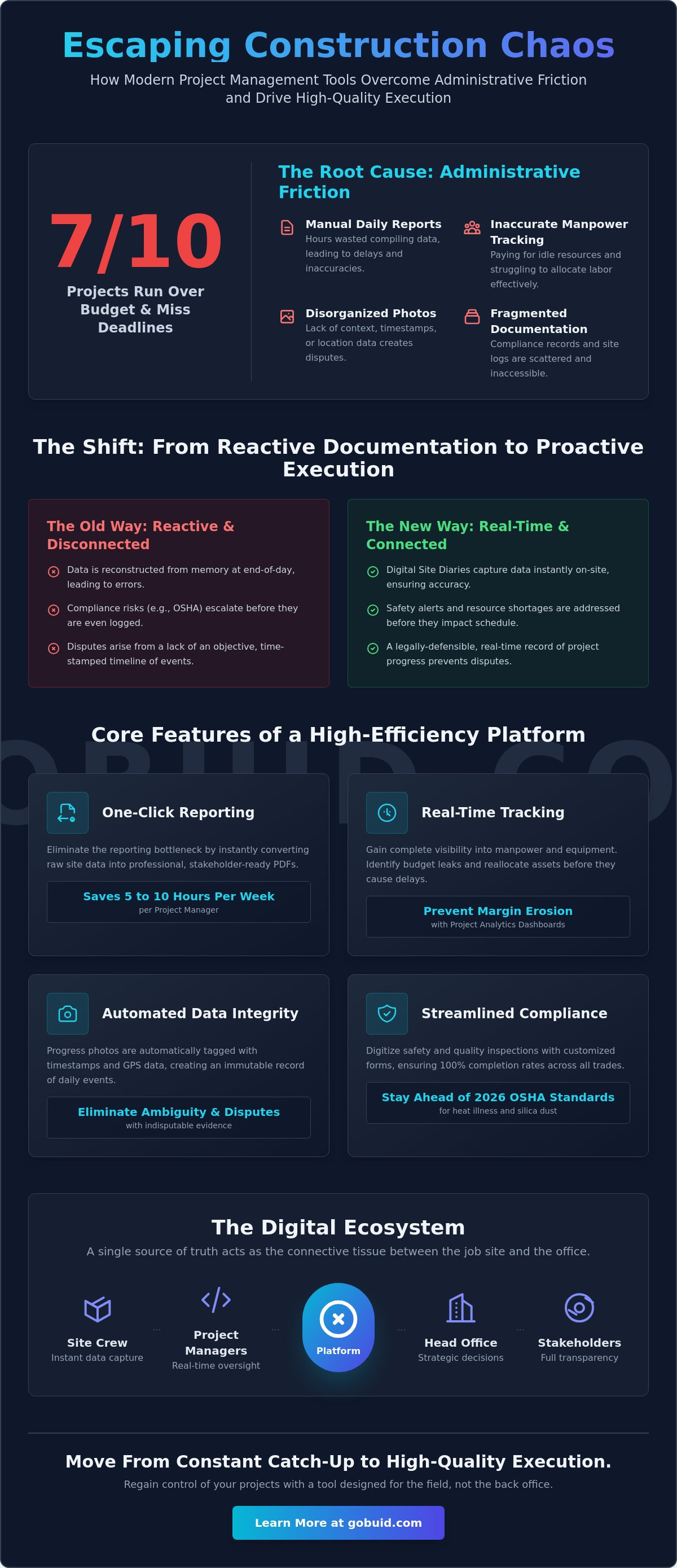
Seven out of every ten construction projects run over budget and miss deadlines. It's a frustrating reality for many, but it usually stems from the same root cause: administrative friction. You're likely wasting hours on manual daily reports and struggling with inaccurate manpower tracking. Disorganized site photos and documentation don't just cause headaches; they threaten your bottom line and your compliance record.
We understand that you need to regain control over chaotic workflows. The most effective project management tools construction firms use today are designed to act as your team's connective tissue. These platforms turn raw site data into professional reports with a single click, providing real-time visibility into every square foot of progress. You don't need more features; you need fewer clicks and better results.
This article breaks down the leading solutions to help you achieve total transparency. We'll explore how to simplify safety and quality compliance while staying ahead of 2026 OSHA standards for heat illness and silica dust. Discover how to centralize your digital site diary, automate equipment management, and finally move your project from a state of constant catch-up to high-quality execution.
Key Takeaways
Modern project management tools construction professionals use act as digital ecosystems that connect site operations with office oversight.
Discover how to replace manual spreadsheets with a digital site diary that generates professional reports in one click.
Secure real-time visibility into site progress with centralized manpower and equipment tracking.
Understand why field adoption is the critical metric for data integrity and how to ensure your team stays compliant.
Evaluate software based on mobile stability to guarantee seamless data capture in areas with limited connectivity.
⭐ Learn more about GoBuid's feature - without the heavy enterprise price tag
What Are Project Management Tools for Construction in 2026?
In 2026, project management tools construction professionals rely on have evolved into high-performance digital ecosystems. They are no longer just repositories for static data. These platforms act as the connective tissue between the physical grit of the job site and the strategic oversight of the head office. While general project management software might track simple tasks, construction-specific tools manage the complex interplay of labor, equipment, and regulatory compliance.
The industry is moving away from fragmented spreadsheets toward specialized project management tools construction teams can use on any device. These platforms prioritize a unified data point. Every stakeholder works from a single source of truth. Unlike traditional ERPs that focus on back-office accounting, field-centric execution platforms like GoBuid prioritize the worker on the ground. This ensures site data is captured immediately. It's about speed and accuracy. Information is no longer reconstructed from memory at the end of a long shift.
The Shift from Documentation to Execution
Traditional site diaries often fail because they are reactive. By the time a report is filed, the information is cold and compliance risks have already escalated. With new OSHA standards for heat and silica exposure active in 2026, waiting until Friday to log site conditions is a liability. Real-time data capture prevents disputes by providing an objective timeline of events. A Digital Site Diary is a legally-defensible, real-time record of project progress.
Key Components of a Modern Toolkit
A robust toolkit centralizes documentation to eliminate administrative friction. This includes progress photos, customized forms, and inspection logs that are accessible to the entire team instantly. Effective tools also facilitate immediate team collaboration. They connect foremen and project managers through automated workflows, ensuring that safety alerts or resource shortages are addressed before they impact the schedule. Use these tools to turn chaotic site data into actionable intelligence.
Essential Features for High-Efficiency Construction Management
Efficiency isn't about working harder. It's about removing the obstacles that slow you down. Most project management tools construction teams use are bloated and unintuitive. They often add more administrative work rather than taking it away. High-efficiency management requires specific features that automate the mundane and prioritize field execution. You need tools that turn site realities into actionable data without the lag of manual entry.
Eliminating the Reporting Bottleneck
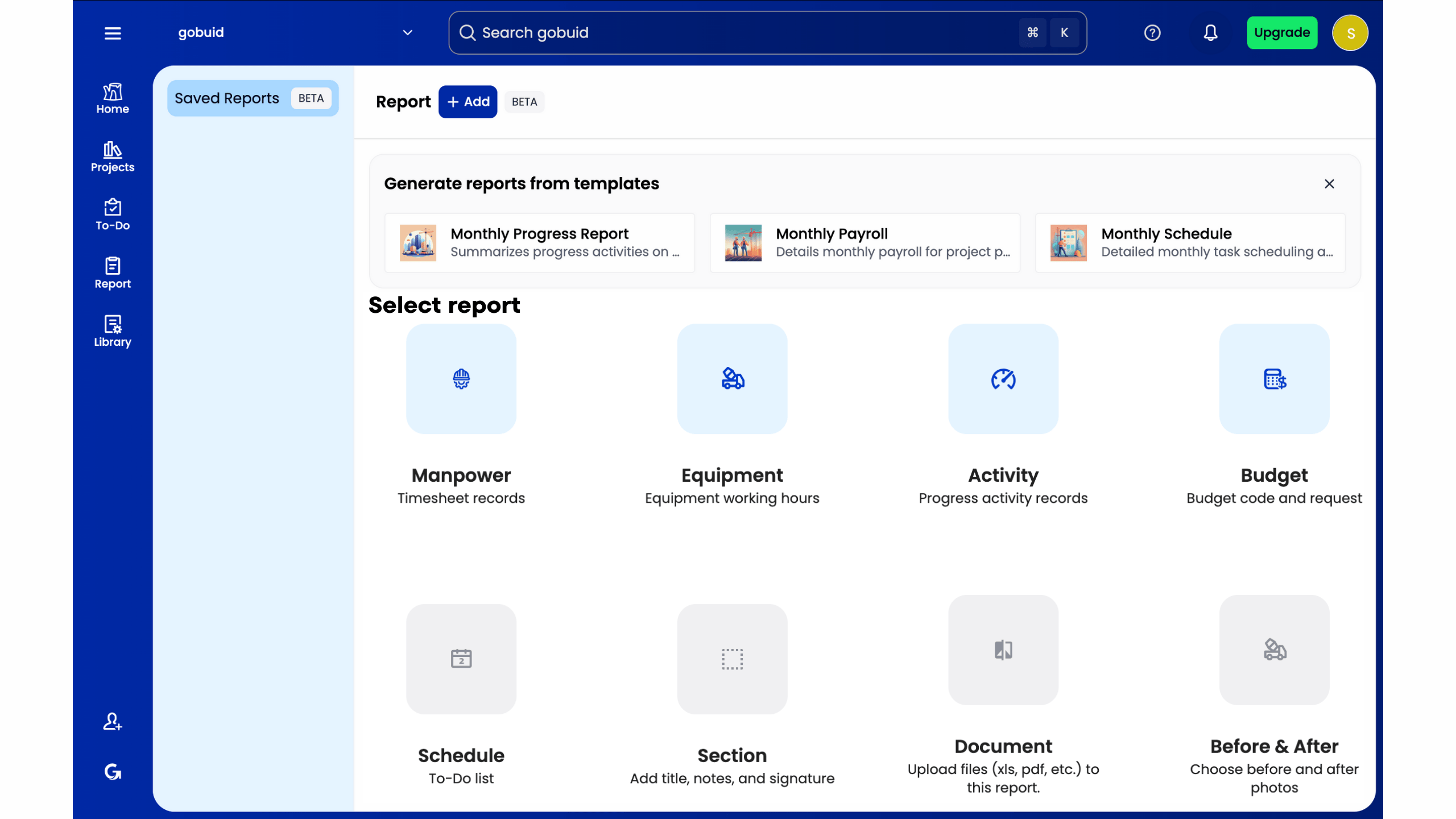
Project managers often lose 5 to 10 hours every week just compiling data from various sources. This manual entry is a relic of the past. Modern systems allow you to generate reports in one click. This functionality turns raw site data into professional PDFs instantly, ready for stakeholders. It isn't just about speed; it's about accuracy. Progress photos must include automatic timestamps and GPS tagging to eliminate ambiguity. This level of detail is essential for effective risk management in construction projects, providing an immutable record of daily events.
Real-time tracking of manpower and equipment ensures you aren't paying for idle resources. A project analytics dashboard identifies budget leaks before they become catastrophic. Since seven out of every ten projects run over budget, real-time visibility is your best defense against margin erosion. You can monitor equipment usage as it happens on-site, allowing for immediate reallocation of assets to maintain momentum. This level of oversight turns site data into a strategic advantage.
Safety and Quality Compliance
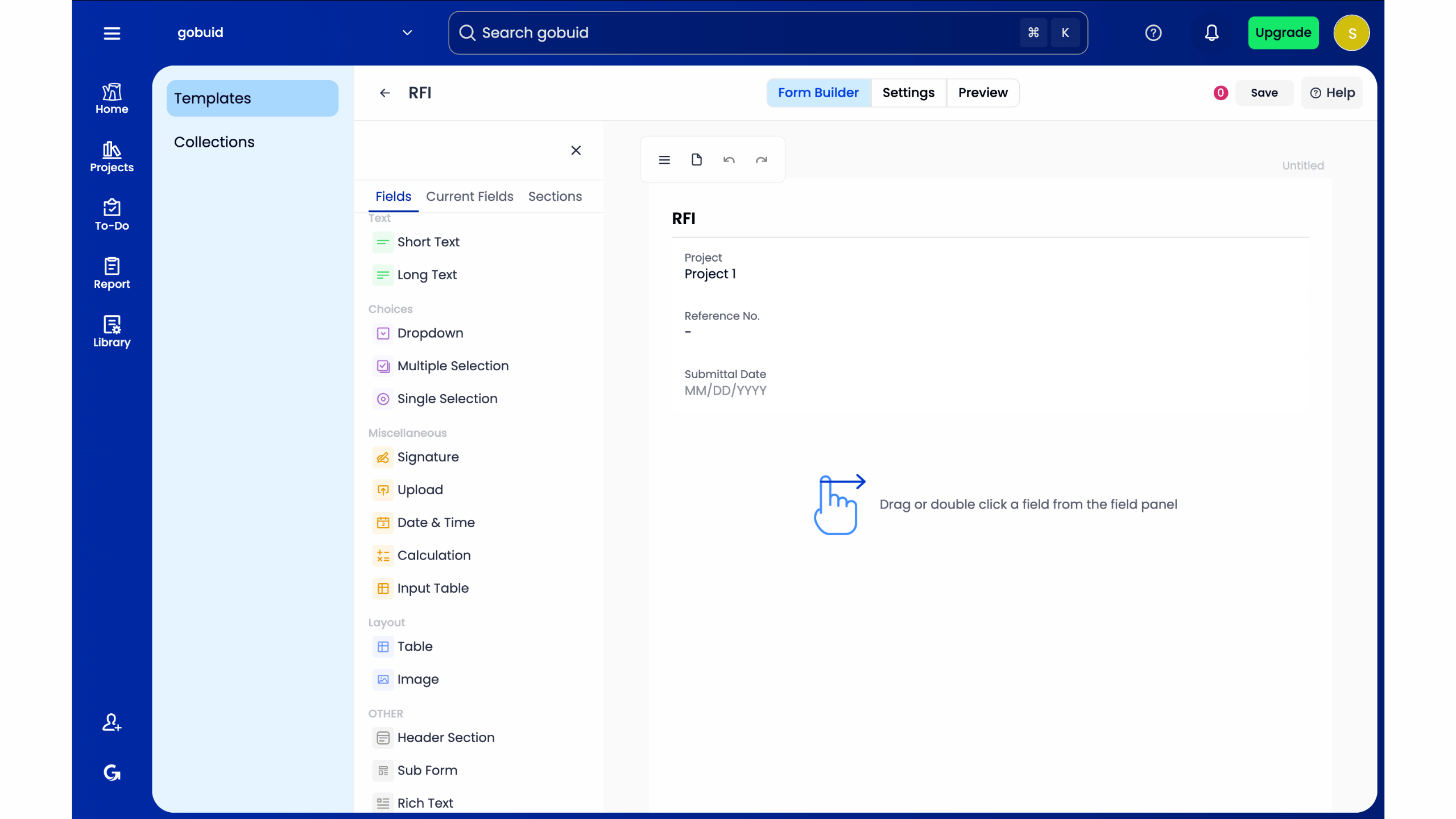
Compliance shouldn't be a box-ticking exercise. It's a core operational requirement that protects your team and your reputation. Use customized forms to digitize safety and quality inspections. This ensures 100% completion rates across all trades by making documentation part of the natural workflow. Specialized forms maintain quality standards regardless of the subcontractor's experience level. Digital records make it easy to demonstrate compliance with the latest OSHA silica and heat standards. You might consider how a unified reporting system can simplify your next audit and increase overall site productivity.
How to Choose and Implement the Right Tool for Your Team
Selecting the right project management tools construction teams will actually adopt requires a shift in perspective. Don't buy for the office; buy for the field. If your foreman finds the interface clunky, your data will be inconsistent. Field adoption is the only metric that matters for ROI. A tool that remains unused on a supervisor's phone is a wasted investment. Prioritize a mobile-first design that works in areas with poor connectivity. Site operations don't stop when the signal drops.
Financial flexibility is another critical factor for modern contractors. Many legacy providers force users into rigid, multi-year agreements that limit your agility. In a fluctuating market, you need control over your overhead. It's wise to look for transparent terms that avoid long-term traps. It's also vital to assess the support model. You need a partner that understands the realities of a concrete pour, not just someone who understands code. Your software should act as a member of your professional team.
Implementation Strategy: From Zero to Digital
Don't try to digitize everything at once. Start by identifying your most time-consuming manual process. Usually, this is the daily site diary. Pilot a mobile-first tool on a single project site to gather direct feedback from your crew. Once the digital diary is stable and the team is comfortable, scale your operations. Integrate manpower tracking and equipment management to gain a complete view of your site productivity.
Maximizing ROI Without the Risk
Bloated software often carries hidden costs in implementation and training. Lean, purposeful tools deliver value faster by focusing on core site execution. Transparency in pricing ensures you can forecast costs accurately without surprises. By choosing a solution that prioritizes field speed, you eliminate the reporting lag that causes budget overruns. You can't manage what you don't measure. Book a demo with GoBuid to see one-click reporting in action and regain control of your project data today.
Take Control of Your Site Execution
The right project management tools construction teams deploy should simplify your day; they shouldn't complicate it. You've seen how digital site diaries and real-time tracking eliminate the administrative friction that leads to budget overruns. Success in 2026 requires moving beyond fragmented spreadsheets toward a unified data point that your field crew will actually use and respect.
Regaining control over chaotic workflows starts with prioritizing field-first adoption. You need a system that translates site activity into professional documentation without the manual struggle. GoBuid offers high-level organizational precision through a sophisticated yet accessible interface. Leverage the efficiency of one-click professional reporting to keep your stakeholders informed and your projects on track at all times.
Stop wasting time on paperwork; generate reports in one click with GoBuid
Your project data is your most valuable asset. Protect your margins and ensure compliance by making the switch to a leaner, more purposeful toolkit. It's time to build with total transparency and a commitment to high-quality execution. Take the first step toward a more efficient job site today.
Frequently Asked Questions
What are the most important features in construction project management software?
The most critical features in project management tools construction teams use are one-click professional reporting, manpower tracking, and real-time data capture. These capabilities ensure that site data is converted into actionable insights without manual formatting. You need a system that prioritizes field-first adoption to guarantee that information is captured as it happens on the job site, rather than hours later.
How do project management tools improve construction site safety?
Digital tools improve safety by automating safety and quality inspections and ensuring 100% completion rates for compliance logs. Real-time documentation helps firms adhere to updated 2026 OSHA standards, such as the Hazard Communication Standard deadline on May 19, 2026. Using customized forms for safety checks creates a legally-defensible record that protects both the workers and the business from liability.
Can small contractors benefit from digital site diaries?
Small contractors benefit significantly from digital site diaries by professionalizing their reporting and eliminating hours of manual paperwork. A digital record provides total transparency for clients and acts as an essential tool for dispute resolution. It allows smaller teams to maintain the same level of organizational precision as large general contractors without requiring a massive administrative staff to handle documentation.
What is the difference between an ERP and a construction field management tool?
An ERP focuses on back-office accounting, payroll, and long-term financial forecasting. In contrast, a construction field management tool is designed for site execution and daily operational control. While an ERP manages the money, field tools manage the work, equipment, and labor on the ground to ensure the project stays on schedule. Effective project management tools construction firms rely on bridge this gap by feeding site data back to the office.
