Construction Software for Small Contractors: Streamlining Your Site in 2026
Tired of paperwork chaos? Discover the best construction software for small contractors in 2026. Streamline your site, protect margins & end manual reports.
by Amelia Grant
|
Your site crew shouldn't have to choose between finishing a pour and finishing their paperwork. For most, the workday doesn't end when the tools are packed; it ends hours later after chasing manpower updates on WhatsApp and deciphering smudged site diaries. Finding the right construction software for small contractors in 2026 isn't about adding complex tech layers. It is about replacing the chaos of scattered emails and paper trails with a single, field-first point of truth that actually works in the mud.
We understand the pressure of losing margins to administrative bloat and data gaps that only surface when a client disputes an invoice. You need a system that provides total transparency and accountability without the friction of outdated workflows. This article demonstrates how to eliminate manual reporting and protect your bottom line with streamlined management tools. You will learn how to generate professional reports in one click, maintain real-time visibility into equipment, and deploy digital site documentation that your team will embrace. It is time to bridge the gap between physical operational realities and digital precision.
Key Takeaways
- Move beyond the hidden costs of manual data entry by centralizing your field operations into a single point of truth.
- Identify the high-impact features in construction software for small contractors that prioritize site reality over complex accounting bloat.
- Eliminate the "Friday night report" blues with one-click professional documentation that keeps clients informed and projects transparent.
- Regain control over your margins by using real-time manpower tracking and equipment management to spot inefficiencies before they become losses.
- Discover why a field-first digital site diary is the essential connective tissue for high-quality project execution in 2026.
- ⭐ Learn more about GoBuid's feature - without the heavy enterprise price tag
Table of Contents
Why Small Contractors are Ditching Spreadsheets in 2026
Effective construction management relies on precise data. For years, small contractors relied on "free" spreadsheets to track progress, but in 2026, these manual tools are a liability. Modern construction software for small contractors isn't just an upgrade; it's a tool designed to centralize field data and eliminate administrative friction. It bridges the gap between the physical work happening on-site and the documentation required to get paid.
Spreadsheets eat your profit margins through administrative bloat. Every hour spent on manual data entry is an hour not spent on the tools or winning new bids. Relying on paper logs or scattered WhatsApp threads creates massive risk. During an audit or a client dispute, these informal systems fail to provide verifiable proof of work. This is particularly critical as OSHA inspectors increasingly request digital records during site visits in 2026. Real-time documentation is the only way to stay competitive and compliant.
To better understand how the right tools can transform your business, watch this video:
The Problem with 'Office-First' Software
Many platforms are built for accountants, not site crews. If an interface is too complex, your foremen won't use it. This creates dangerous data silos where critical site information stays in someone's head instead of the system. The most effective construction software for small contractors prioritizes field adoption over complex accounting integrations. High-quality execution requires a tool that feels like an essential member of the team, not a heavy administrative burden that slows down production.
Centralizing Your Site Diary
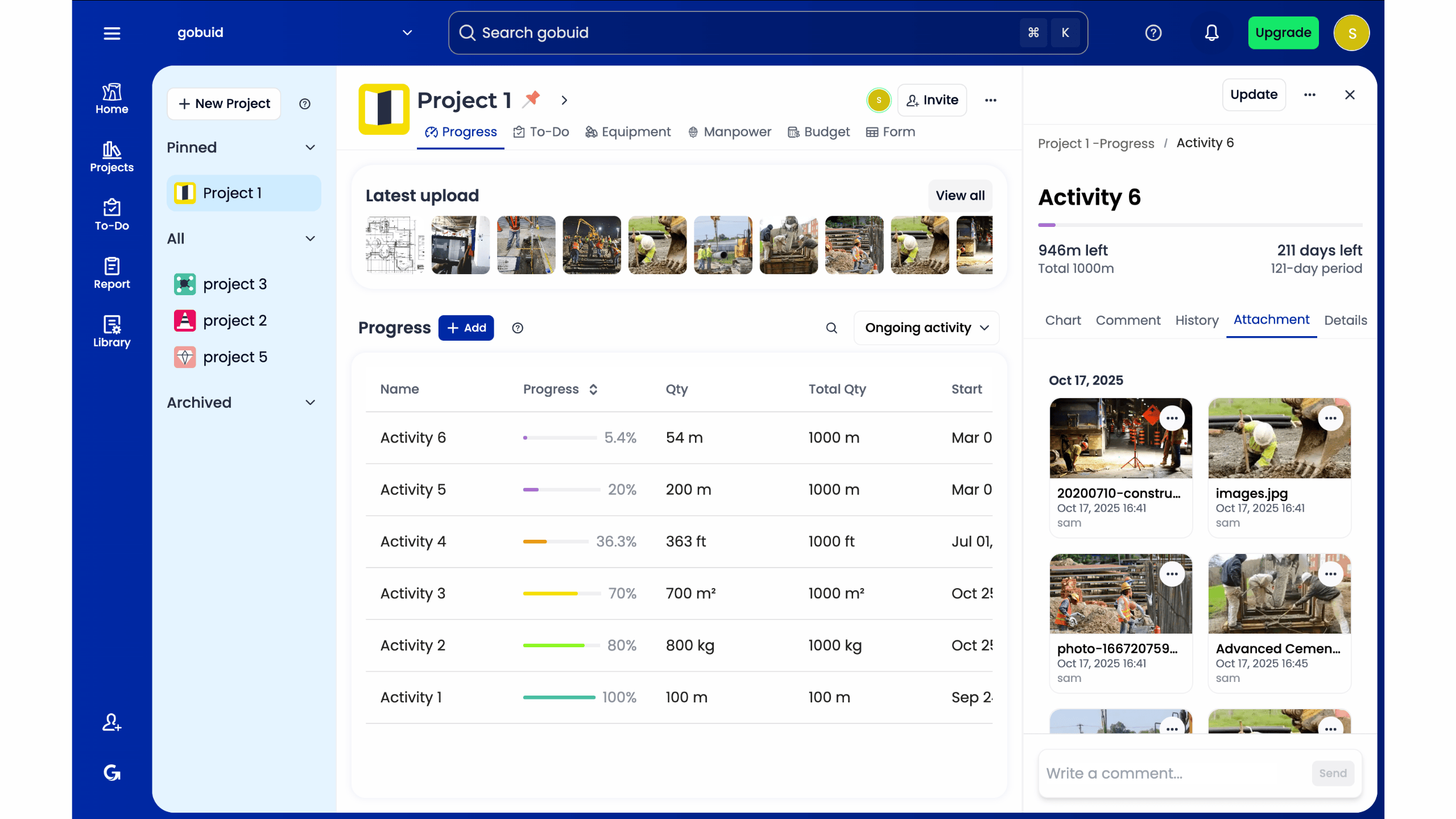
Success on-site requires moving away from physical notebooks that get lost or damaged. Adopting a Digital Site Diary allows your team to capture progress photos and site notes in one unified location. This creates total transparency across the project lifecycle. When every update is timestamped and centralized, you protect your margins and avoid the exhaustion of manual reporting at the end of a shift. It ensures accountability across the entire professional team while keeping the project moving forward.
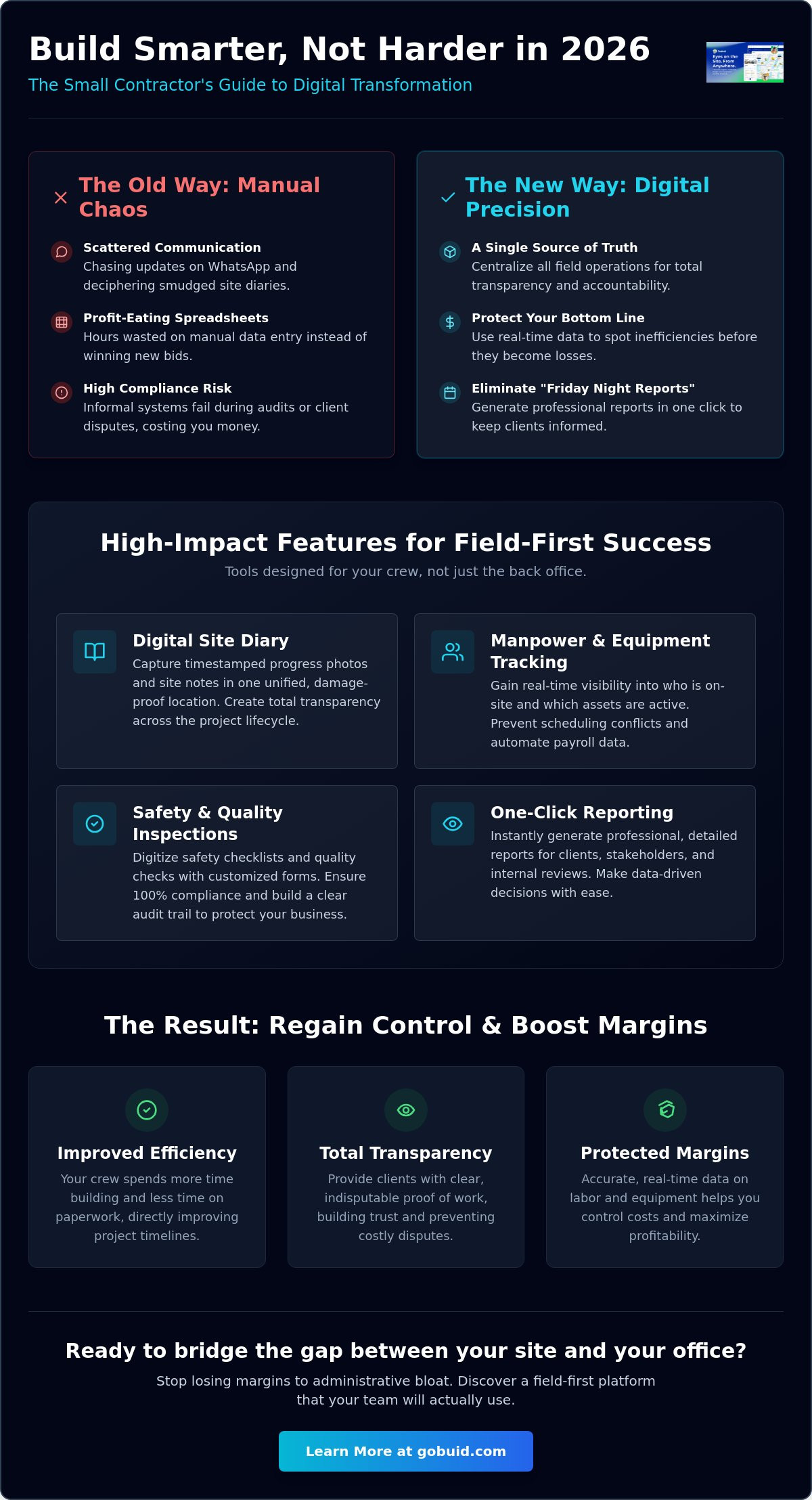
4 Essential Features for Small Construction Teams
Small teams often suffer from feature fatigue. You don't need a complex ERP designed for a thousand employees. You need a system that connects the field to the office instantly. The best construction software for small contractors prioritizes high-impact tools that eliminate daily operational headaches. One-click functionality is mandatory for time-poor owners who cannot spend hours learning a new interface. Efficiency is the goal.
Scalability matters. You want tools that grow with your project list without adding complexity. A streamlined interface ensures that your crew actually uses the software on-site, providing the data you need to manage margins effectively. This field-first approach bridges the gap between manual labor and digital precision. It ensures that every team member remains accountable and every project stays on track.
Manpower and Equipment Tracking
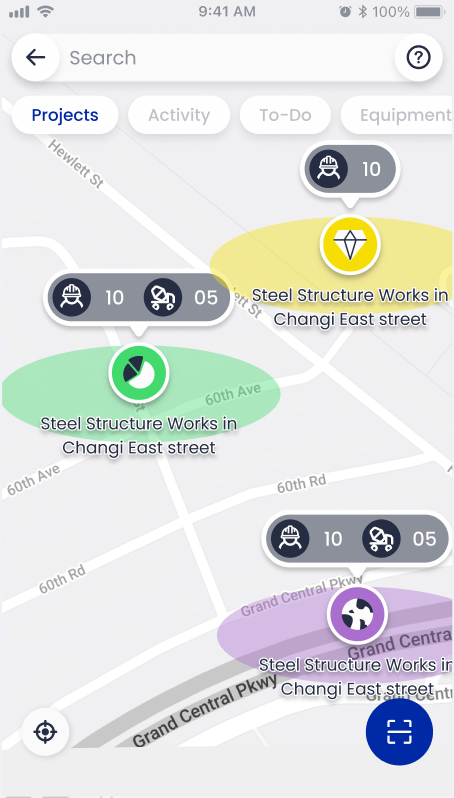
Real-time visibility is the foundation of site control. You need to know exactly who is on-site and which assets are active at any given moment. Effective Equipment Management prevents scheduling conflicts and ensures tools are where they need to be. Automating time and attendance records removes the guesswork from payroll processing. This creates a unified data point for labor costs. It protects your margins throughout the project lifecycle.
Safety and Quality Inspections
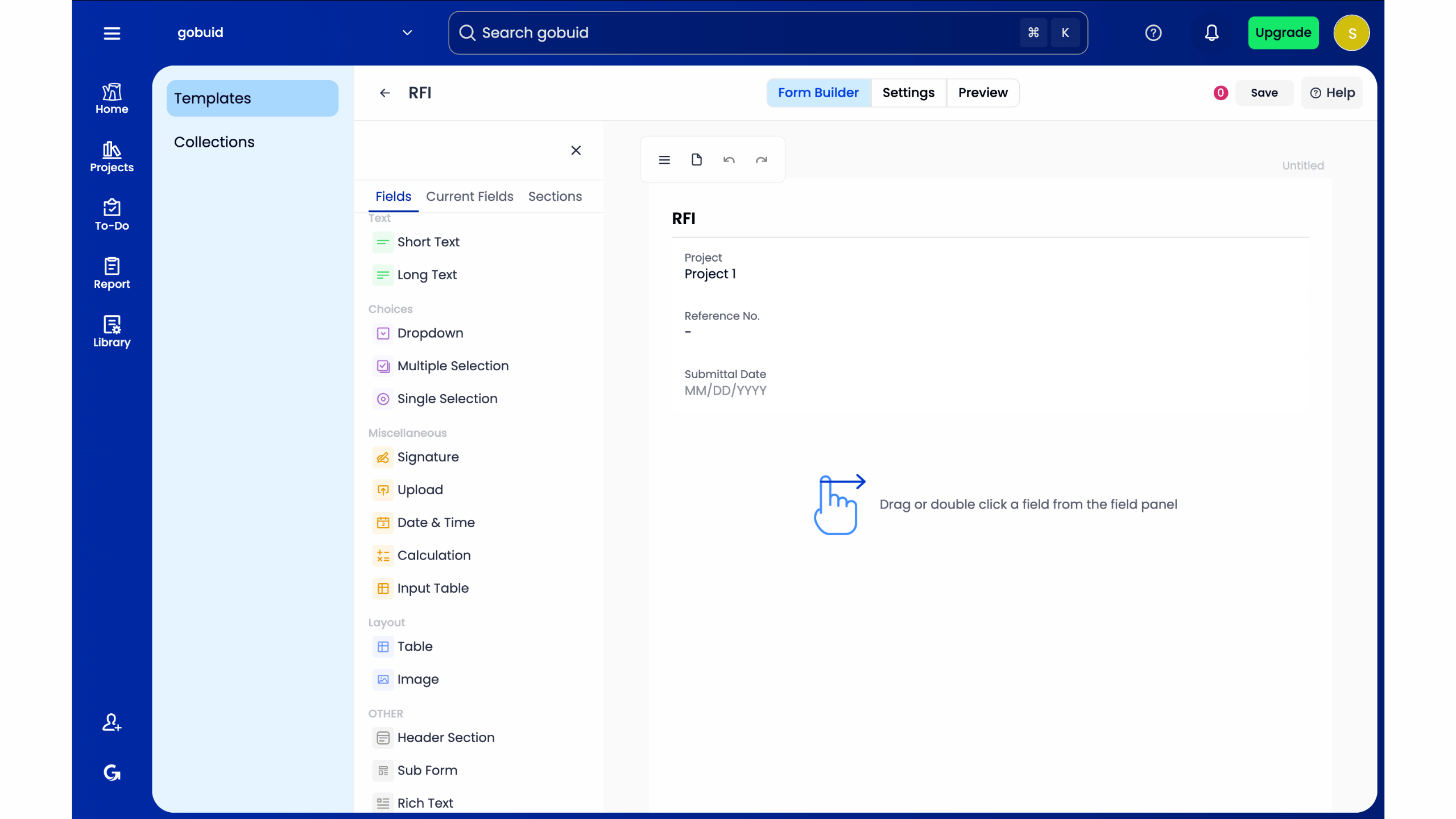
Compliance should not be a paper-heavy burden. Digitizing safety checklists ensures 100% adherence to 2026 standards, including updated requirements for PPE fit and heat illness prevention. Use Customized forms to tailor inspections to specific site requirements or quality checks. This level of precision builds client trust. It provides a clear audit trail that protects your business. When documentation is accessible, site quality improves naturally.
High-quality execution requires the right digital partner. You can explore these high-impact features to see how they fit your current site operations.
The GoBuid Advantage: One-Click Reporting and Flexibility
Stop wasting your weekends on administrative catch-up. Most construction software for small contractors forces you into a steep learning curve that stalls productivity. GoBuid is different. We focus on a lean platform that delivers results in minutes, not months. You can eliminate the "Friday night report" blues by using one-click professional reporting. This feature transforms raw field data into clean, client-ready documents instantly. It saves hours of manual entry and Deciphering site notes.
Data-driven insights shouldn't be reserved for industry giants. GoBuid's Project Analytics Dashboard turns your daily logs into a strategic asset. By analyzing historical manpower and equipment usage, you can refine your bidding process with precision. This ensures every new quote is backed by site reality, protecting your margins before the first shovel hits the dirt. It's about working smarter. It's about using your own site history to win more profitable work.
Professionalism That Wins More Work
First impressions matter on the job site and in the inbox. Impress your clients with photo-rich daily reports that showcase progress with total transparency. This level of detail builds trust and differentiates your business from competitors still using paper. Maintaining an airtight audit trail for safety and quality assurance isn't just about compliance; it's a competitive advantage. It proves your commitment to high-quality execution and professional accountability. When your documentation is professional, your business is seen as a leader.
Risk-Free Digital Transformation
The GoBuid philosophy is grounded in operational reality. We provide the connective tissue for your project without the friction of bloated features you'll never use. Regain control over your workflows through a sophisticated yet accessible interface. It's time to bridge the gap between physical labor and modern digital precision. This transition doesn't have to be difficult or time-consuming. You can view our pricing and start your digital transition today. Take the first step toward a more efficient, profitable site.
Secure Your Site Margins for 2026
Administrative bloat is a choice, not a requirement of the trade. By centralizing site data and automating daily logs, you regain hours previously lost to manual entry. You've seen how the right construction software for small contractors turns scattered site notes into professional, photo-rich assets. This transition protects your margins. It builds client trust through total transparency and accountability.
Success on-site requires a partner that understands the mud and the mechanics of the job. GoBuid bridges the gap between physical labor and digital precision with tools designed for immediate field adoption. Experience the speed of one-click professional reporting and the precision of customized forms for any site requirement. It is time to eliminate the chaos and lead with data-driven confidence.
Start your digital site diary with GoBuid today and regain control of your professional workflows.
Frequently Asked Questions
What is the best construction software for a small business with fewer than 10 employees?
The best software for small teams is a platform that prioritizes field-first adoption over complex corporate features. Small contractors need a digital site diary that is easy for crews to use without extensive training. Look for tools that offer manpower tracking and one-click reporting to ensure high-quality execution without adding administrative bloat to your daily routine.
How much does construction management software typically cost for small contractors?
Pricing models for construction software for small contractors vary based on team size and required feature depth. Some providers charge a flat monthly fee, while others utilize a per-user model. When evaluating costs, consider the total cost of ownership, including implementation and training time. Choosing a platform that aligns with your specific operational volume ensures you don't pay for bloated features your crew won't use.
Can I use construction site software on my mobile phone without an internet connection?
Most modern construction apps include offline syncing capabilities to handle remote site realities. Crews can log manpower updates, capture progress photos, and fill out customized forms while disconnected from the network. Data typically syncs automatically once a stable connection is restored. This ensures that documentation remains consistent even in locations with poor cellular coverage.
Does construction software help with safety compliance and inspections?
Yes, dedicated construction software for small contractors streamlines safety and quality inspections by digitizing checklists and site diaries. In 2026, OSHA increasingly expects digital access to safety plans and training records during site visits. Using software allows for real-time documentation of PPE fit requirements and heat illness prevention plans. This creates an airtight audit trail that protects your business during official inspections.
