The Best Job Site Reporting App for 2026: A Buyer’s Guide for Contractors
by Sam Chen
|
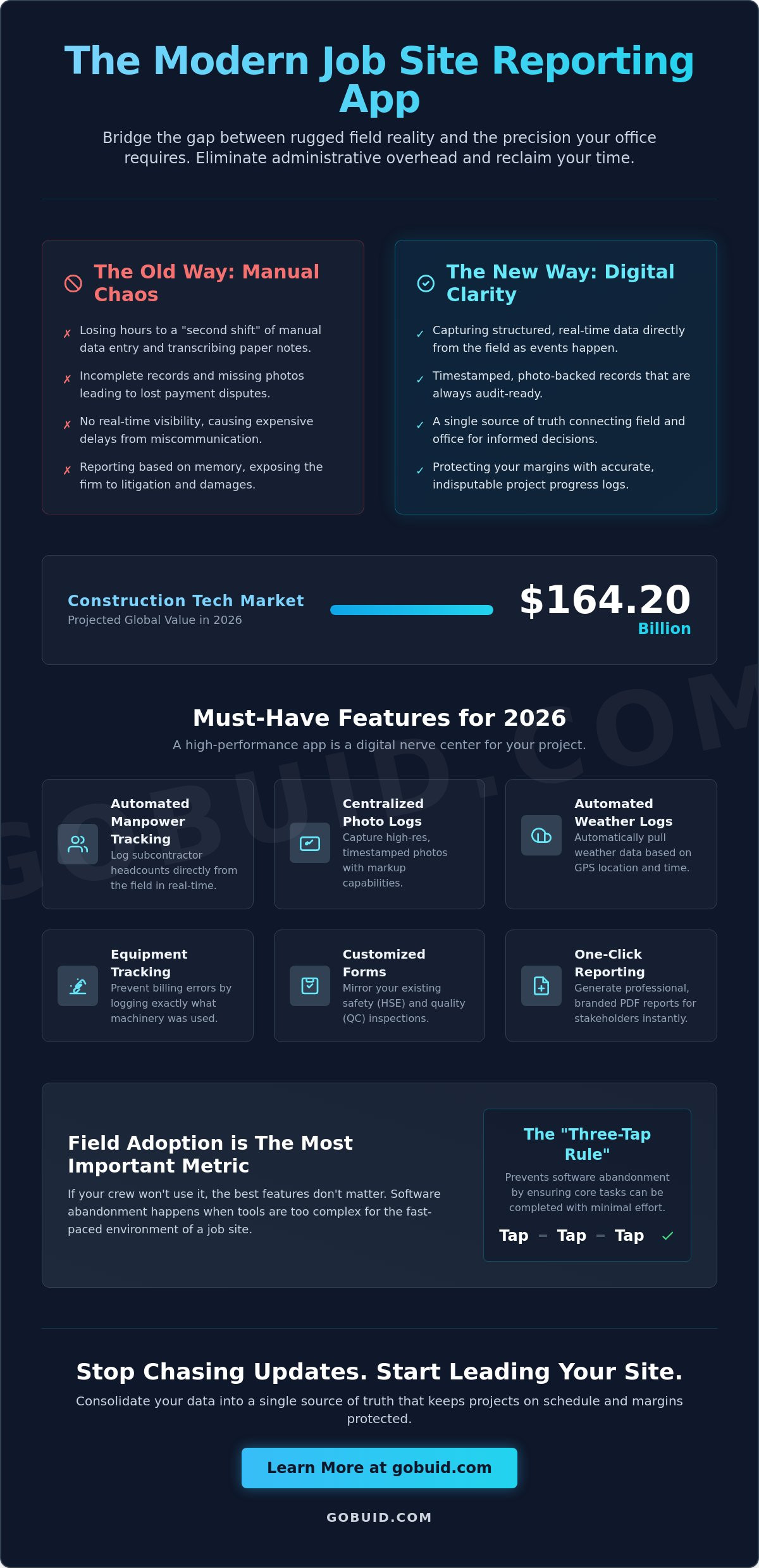
With the global construction tech market projected to reach $164.20 billion in 2026, your biggest competitor isn't the firm across town; it's the hours you're losing to manual data entry. You're likely tired of the "second shift" where you transcribe paper notes into spreadsheets while trying to remember which subcontractor was on-site at 2:00 PM. Implementing a modern job site reporting app is the only way to bridge the gap between rugged field reality and the precision your office requires.
You know that incomplete documentation and missing progress photos are the fastest ways to lose a payment dispute. It's frustrating to manage a project when you lack real-time visibility into what's actually happening behind the hoarding. This guide will show you how to eliminate administrative overhead and reclaim your time by choosing a tool that your crew will actually use. You'll learn how to turn field observations into professional reports with a single click, ensuring your records are always audit-ready.
We'll break down the essential features for 2026, from automated manpower tracking to centralized photo documentation. You'll discover how to consolidate your data into a single source of truth that keeps your projects on schedule and your margins protected. It's time to stop chasing updates and start leading your site with confidence.
Key Takeaways
Understand how a modern job site reporting app digitizes site diaries and captures real-time manpower data directly from the field.
Identify the essential features like automated weather logs and equipment tracking that ensure your documentation is always audit-ready.
Learn why field adoption is the most important metric and how the "three-tap rule" prevents software abandonment by your foreman.
Discover how a one-click reporting philosophy eliminates administrative double-entry and provides a single source of truth for every project.
Master the transition from paper to digital by utilizing customized forms that mirror your existing site inspection and safety processes.
⭐ Learn more about GoBuid's feature - without the heavy enterprise price tag
Why GoBuid is the Practical Choice for Modern Contractors
GoBuid acts as the digital foreman for your project. We bridge the gap between the rugged reality of the construction site and the sleek precision of modern software. Our platform prioritizes a "one-click" philosophy to maximize productivity. We eliminate the administrative fluff that plagues other systems. Using our job site reporting app means your team spends less time on screens and more time on the tools. It's a no-nonsense partner that values transparency above all else.
Many contractors struggle to transition because they don't want to lose their established workflows. GoBuid solves this with customized forms that allow you to digitize any existing paper process. Whether it's a specialized site diary or a unique inspection checklist, you can replicate it digitally in minutes. This flexibility ensures that your field crew adopts the tool without friction. We provide the connective tissue that keeps the field and office synchronized.
We also address the industry's frustration with rigid commitments. Unlike enterprise-focused competitors that require long sales cycles and heavy upfront commitments, we offer a flexible approach. Our lack of long-term lock-in contracts is a sign of product confidence. We believe the software should earn its place on your job site through daily utility and clear results. If it doesn't simplify your life, you aren't tied down.
Streamlined Safety and Quality Inspections
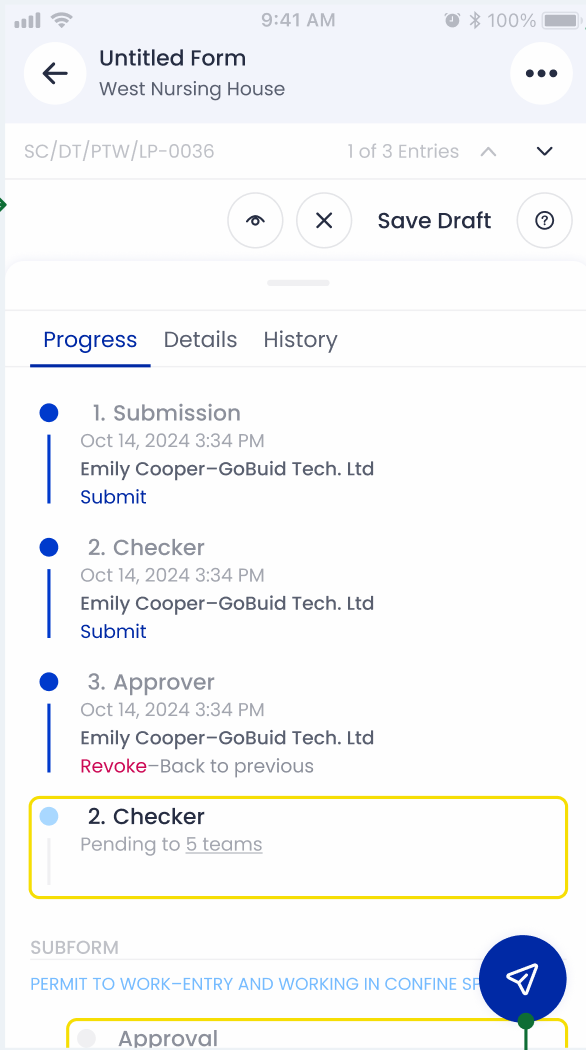
Compliance shouldn't be a burden. GoBuid simplifies Safety & Quality Inspections to ensure your site meets all regulatory and internal standards. You can track punch lists and site inconsistencies in real-time, allowing for immediate corrective action. This proactive approach reduces expensive rework and keeps project momentum high. You gain a single source of truth for every safety event and quality check performed on-site.
Getting Started with GoBuid
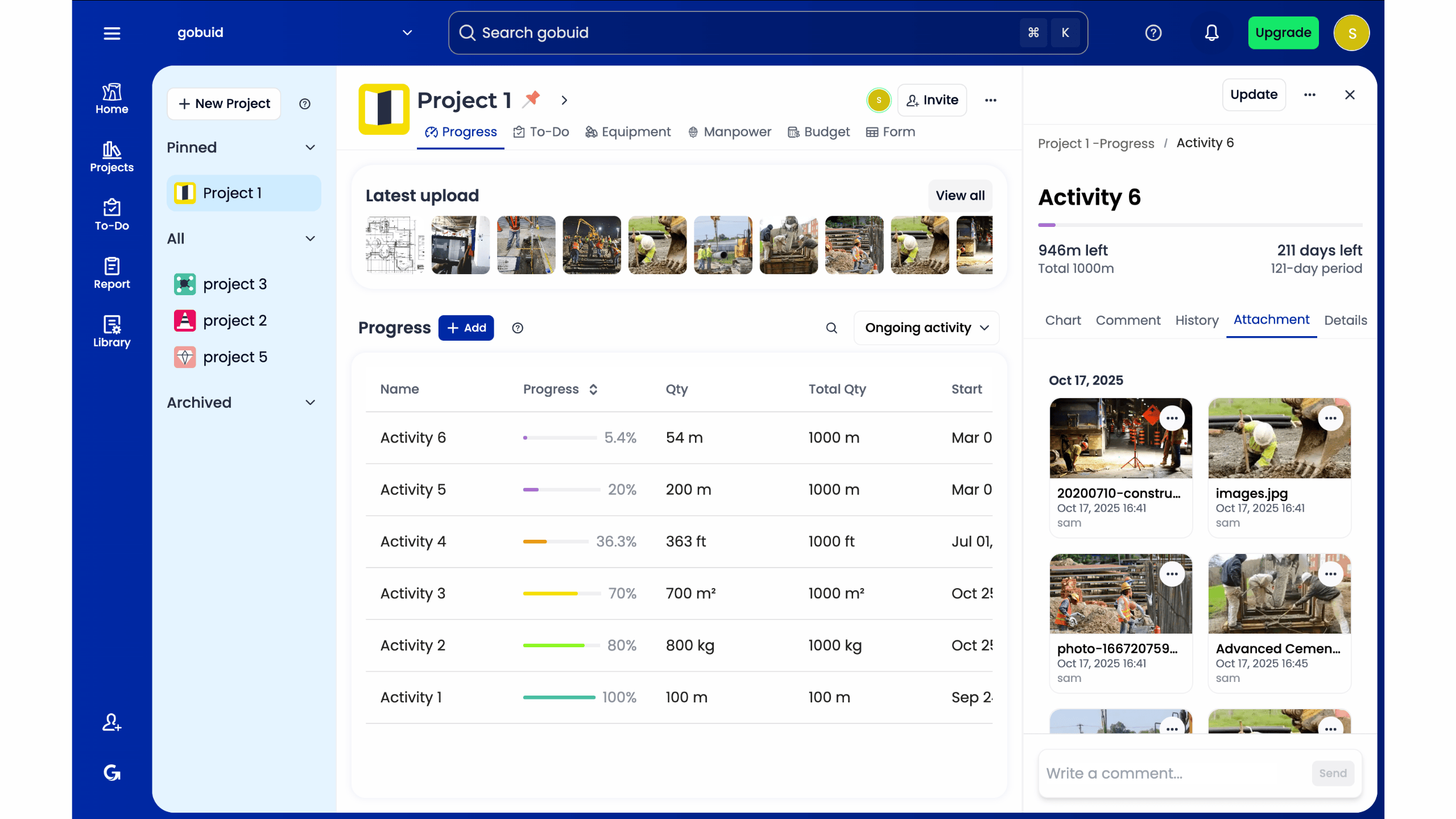
Onboarding doesn't have to be a weeks-long ordeal. Our simple setup process gets your team reporting in minutes. We focus on utility and speed so you can see an immediate return on your investment. It's time to evolve beyond manual logs and fragmented communication. Start your digital site diary today and experience the efficiency of a job site reporting app built for the modern builder.
What is a Job Site Reporting App and Why is it Essential?
A job site reporting app is more than a digital notepad; it's a mobile-first platform engineered to replace the chaos of paper site diaries with structured, real-time data. Instead of waiting until the end of the day to recall events, field teams capture manpower, equipment usage, and progress photos as they happen. This shift in workflow ensures that every field report is accurate and verified by the site's actual conditions. A digital site diary serves as the indisputable source of truth for project progress, protecting your margins from the inaccuracies of memory-based reporting.
To see how these tools fit into the broader tech stack, watch this overview of the top construction software for 2026:
These specialized apps are a critical subset of broader project management software, tailored specifically for the rugged demands of the construction site. While general tools handle scheduling and high-level planning, a job site reporting app focuses on the granular, daily activities that determine whether a project stays on budget. Moving away from manual documentation eliminates data loss and ensures that the office has immediate access to field insights through the core features of the platform.
The Invisible Cost of Manual Reporting
Manual reporting carries a heavy price that rarely appears on a balance sheet. Project managers often lose several hours every week just chasing subcontractors for their daily headcount or equipment logs. These administrative gaps create more than just a headache; they expose the firm to litigation risks and liquidated damages. Without a timestamped, photo-backed record of site events, payment disputes become a matter of opinion rather than documented fact.
Bridging the Field-to-Office Gap
Real-time synchronization acts as the connective tissue between the site and the head office. When the field team logs an issue, the office sees it instantly; this prevents expensive delays caused by miscommunication. This visibility empowers the "Digital Foreman" to maintain project momentum. By having a centralized dashboard of field activity, management can make informed decisions based on data, not just gut feelings or outdated reports.
Must-Have Features for a High-Performance Reporting App
A high-performance job site reporting app must do more than just store photos. It needs to act as a digital nerve center for your project. Modern technology is transforming construction job sites by turning passive observation into active data collection. Your choice of software should prioritize automation to ensure accuracy and save time. Foremen shouldn't waste minutes looking up weather history or site conditions; the app should pull that data automatically based on GPS location and timestamps.
Comprehensive manpower and equipment tracking is the next non-negotiable requirement. You need to identify exactly who was on-site and what machinery was utilized to prevent billing errors. Progress photos and documentation require high-resolution capture with markup capabilities to show, not just tell, what's happening. Furthermore, the platform must support customized forms. This flexibility allows your team to pivot between safety (HSE) inspections and quality control (QC) audits within a single interface, maintaining a centralized record of all site activities.
One-Click Professional Reporting
Generating branded PDF reports is the gold standard for field-ready software. Stakeholders expect polished, professional updates that they can review instantly. If a report takes more than one click to compile, it's too slow for a busy site. Speed translates to consistency. When reporting is effortless, your team is more likely to maintain the high-quality documentation required to protect your business from future claims.
Integrated Equipment Management
Tracking equipment utilization is vital for protecting your bottom line. Many contractors lose money on idle rentals or poorly managed machinery. Linking these logs directly to the daily site diary provides a complete record of work performed versus resources used. This integration helps you optimize rental costs and ensures that every piece of equipment is accounted for in your daily progress logs. You can explore the full range of field management tools to see how these integrated features work in tandem to increase your site's overall productivity.
Evaluating Apps: Adoption Speed vs. Feature Depth
The number one reason a job site reporting app fails is a lack of field adoption. Complexity is the enemy of progress on a construction site. If a tool feels like a burden rather than a benefit, your crew will stop using it. You need a platform that balances deep functionality with an interface that respects the foreman's time. Speed is the ultimate metric of success in the field.
Test every potential tool against the "three-tap rule." A foreman should be able to log a critical note or attach a progress photo in three taps or less. Anything more complex leads to documentation gaps. You should also prioritize offline functionality. Construction sites often suffer from poor connectivity; your data must save locally and sync automatically when the signal returns. When evaluating vendors, look for flexible monthly billing options to ensure the software earns its place on your project every single month through consistent performance.
User Interface: Built for the Field, Not the Office
Punchy, action-oriented interfaces always win over data-heavy dashboards for field use. Your team needs large buttons and clear navigation that works even in rugged environments. Voice-to-text is another essential requirement. It allows workers wearing gloves or handling tools to log observations without stopping production. This keeps the data flowing from the field to the office without slowing down the physical work.
Analytics and Mission Control
Raw site data is only valuable if you can interpret it quickly. A Project Analytics Dashboard turns daily logs into actionable insights. By centralizing field reports, you can identify trends in subcontractor performance or equipment delays before they impact your budget. Using this historical data allows you to improve future bidding and resource allocation with surgical precision. To see how visibility can transform your next project, explore our field management solutions.
Take Control of Your Site Documentation
The construction landscape in 2026 demands more than just survival; it requires absolute visibility. Transitioning to a dedicated job site reporting app is no longer optional for contractors who value their margins. You've seen how the right tool bridges the gap between field chaos and office precision by prioritizing ease of use and integrated data. Efficiency comes from having a single source of truth that your crew actually uses every day.
By centralizing your manpower and equipment tracking, you eliminate the guesswork that leads to payment disputes. You also gain the ability to generate one-click professional PDF reports. This ensures stakeholders stay informed without adding hours to your workday. GoBuid offers this level of control without the burden of long-term commitments. We provide the technological edge you need with no lock-in contracts. You deserve a partner that works as hard as your crew.
Streamline your site reporting with GoBuid-get started for free today.
Start building with confidence and reclaim your time today.
Frequently Asked Questions
What should I look for in a job site reporting app?
Prioritize field-first design and automated data capture. You need a tool that handles manpower tracking and equipment logs within the same interface as your site diary. Ensure the software can generate professional PDF reports in one click to save administrative time. The best platforms focus on minimizing the friction between a field observation and a finished report.
How does a reporting app improve construction site safety?
A job site reporting app improves safety by standardizing inspections and hazard tracking. It creates a real-time record of safety protocols and identifies site inconsistencies before they lead to accidents. By capturing timestamped photos of safety measures, you maintain a single source of truth that protects the firm during audits or payment disputes.
Can a job site reporting app work offline?
Professional-grade apps include offline mode as a core feature. Data is stored on your mobile device and syncs to the cloud automatically once you reach a stable connection. This is vital for maintaining project visibility on sites with poor cellular coverage or in underground structures where connectivity is often unreliable.
Will my field crew actually use a reporting app?
Adoption depends entirely on simplicity and speed. If the app follows the "three-tap rule" and offers voice-to-text, your crew will prefer it over manual paperwork. Focus on tools that reduce their daily administrative burden rather than adding complex layers of data entry. When the software makes their job easier, they'll use it consistently.
How much does a construction reporting app typically cost?
Costs generally depend on the number of users and the depth of features required. Most platforms use a monthly subscription model based on your team size or project volume. Choose a partner that offers transparent pricing and no lock-in contracts to maintain flexibility as your project needs evolve. This allows you to scale your tech stack without long-term financial risk.
