Construction Safety Inspection App: Streamlining Jobsite Compliance in 2026
by Sam Chen
|
What if your safety compliance was a competitive advantage instead of an administrative bottleneck? With OSHA penalties for willful violations reaching $165,514 in 2025, the cost of a lost clipboard or a delayed field report has never been higher. You need more than just a digital version of a paper form. A modern construction safety inspection app transforms compliance from a reactive chore into a proactive shield for your business. It bridges the gap between the rugged reality of the jobsite and the precision of the front office.
You already know that manual reporting is slow, inconsistent, and creates a dangerous lack of visibility. It's time to stop chasing paperwork and start leading your crew. This article will show you how to eliminate paper-based risks and generate professional safety reports in seconds with modern inspection technology. We'll explore how to establish a single source of truth for all your documentation, implement real-time hazard tracking, and move your team toward one-click report generation that keeps every project on track and every worker safe.
Key Takeaways
Learn to replace slow, manual paper filing with proactive digital monitoring to identify hazards before they cause delays.
Discover why a modern construction safety inspection app is the essential connective tissue for maintaining 2026 jobsite compliance.
Master the "4S Platform" framework to standardize safety protocols across every project using customized digital forms.
Find out how to eliminate administrative overhead by switching to a reporting engine that generates professional documentation in one click.
See how a Digital Site Diary provides real-time visibility and a single source of truth for all field safety and quality inspections.
⭐ Learn more about GoBuid's feature - without the heavy enterprise price tag
Implementing GoBuid: From Field Inspections to One-Click Reports
Implementing a construction safety inspection app shouldn't be a project in itself. It's the solution to your administrative headaches. The workflow is built for speed. A foreman identifies a hazard, opens the app, and selects the relevant customized form. They snap a progress photo, tag the specific team or equipment involved, and save the entry. There's no double-handling of data and no lost notebooks. The information moves instantly from the rugged reality of the site to the digital record.
This data doesn't exist in a vacuum. It feeds directly into the Digital Site Diary, which serves as the central hub for all safety and quality inspections. This diary creates an unbreakable timeline of site activity. When it's time to document compliance for stakeholders or regulators, you don't spend hours formatting spreadsheets. You generate reports in one click. GoBuid transforms raw field observations into professional, branded PDF documents that are ready for the boardroom.
Visibility extends beyond individual reports. The Project Analytics Dashboard aggregates data across all your active jobsites. You can identify recurring safety trends, such as a spike in ladder-related risks or PPE non-compliance, before they lead to an incident. It's about using field data to drive smarter management decisions.
Bridging the Field and the Office
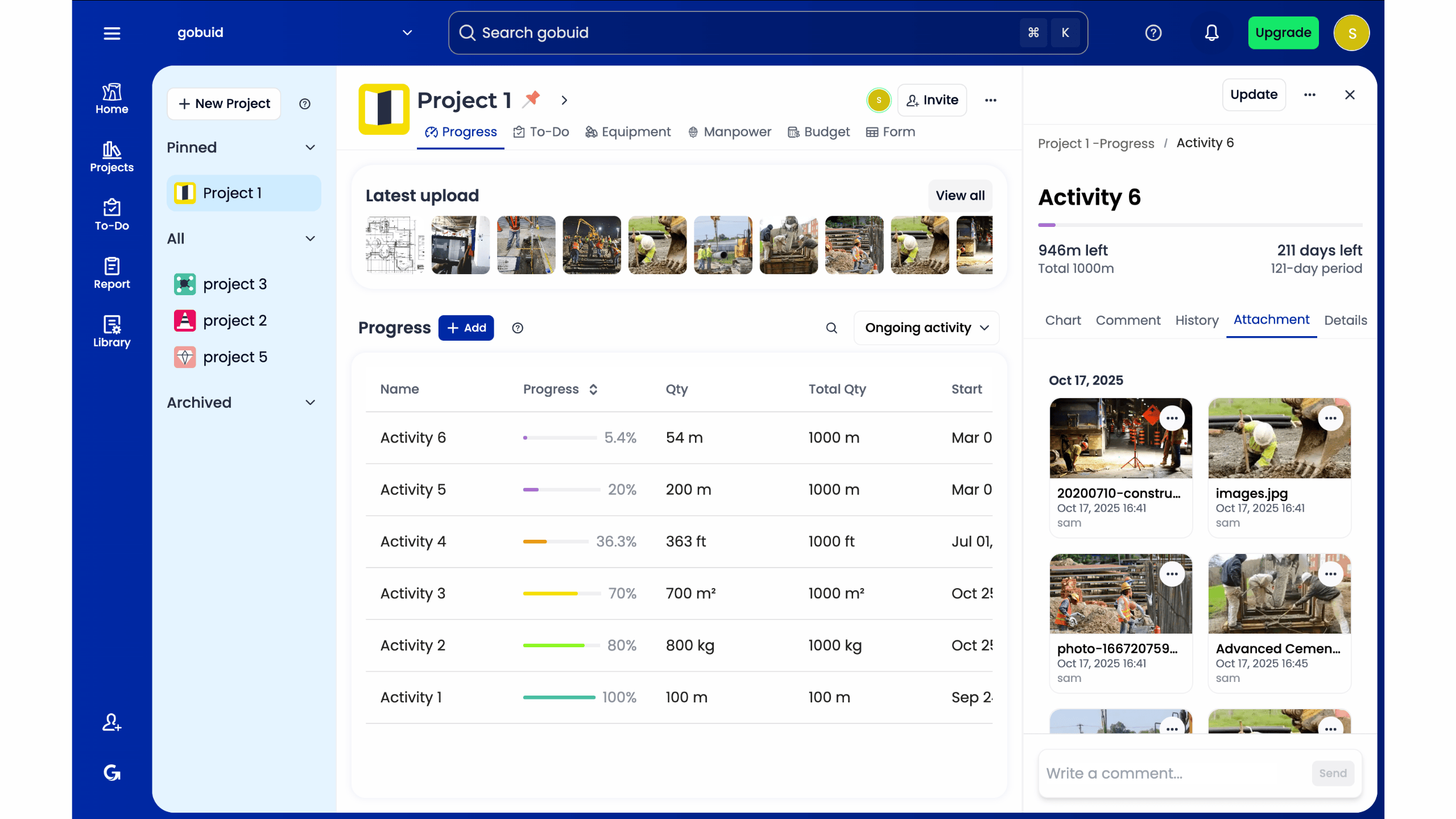
Real-time data flow eliminates the need for constant phone calls and status updates. The office team sees exactly what the field team sees as it happens. This is the digital foreman persona in action. It's a tool that's as hardworking and practical as the crew on the ground, yet it possesses the high-level organizational precision of a tech innovator. It ensures transparency and accountability across the entire project team.
Getting Started Without the Friction
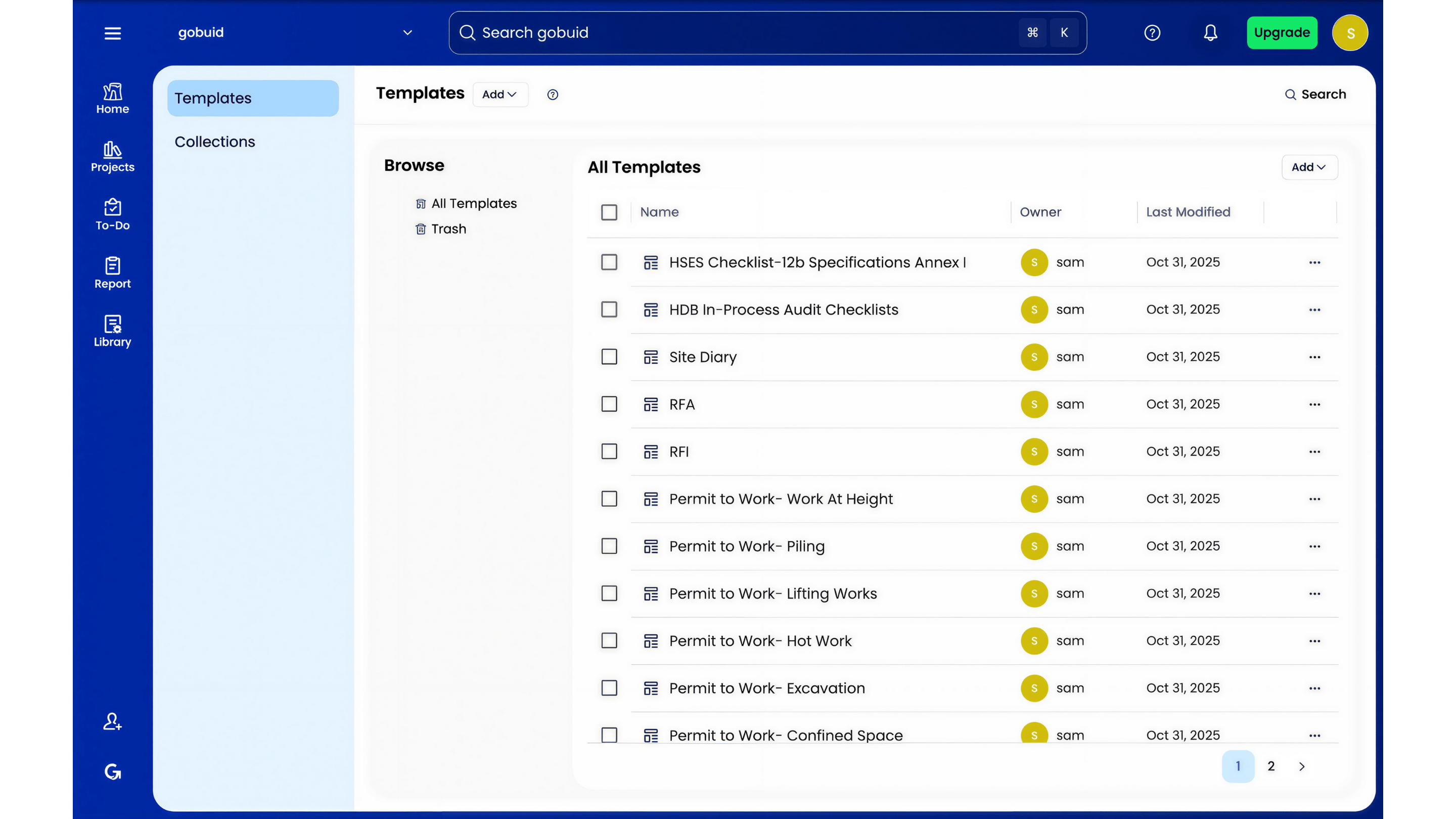
You don't have time for a complex software rollout. Setup is straightforward, allowing your teams to transition from paper to digital on day one. The interface is intuitive, ensuring high adoption rates among field staff who value utility over fluff. Stop chasing paperwork and start leading a safer, more productive site. Streamline your site safety with GoBuid’s one-click reporting and establish your single source of truth today.
Beyond Paper: What is a Construction Safety Inspection App?
A construction safety inspection app is the modern digital foreman. It's a mobile-first solution built for real-time hazard identification and strict compliance. Traditional safety management is often reactive. You find a mistake in a paper log days after it happened. Digital monitoring changes the rhythm. It moves the team toward proactive site awareness. This technology establishes a single source of truth for every stakeholder. A construction safety inspection app is a digital bridge between field observations and office-ready reports.
Compliance isn't just about avoiding fines. It's about grounding your work in Occupational safety and health principles to ensure every worker goes home safe. By digitizing these checks, you turn a complex regulatory burden into a streamlined part of your daily workflow.
The Evolution of Jobsite Documentation
Paper is the enemy of efficiency. Lost forms, illegible handwriting, and coffee-stained reports create holes in your legal defense. Secure cloud-based storage eliminates these risks instantly. It organizes your field data into a centralized, searchable database. Integrating progress photos adds a layer of visual truth that text can't match. These photos validate compliance and provide a clear timeline of site conditions, protecting you from future disputes or insurance claims.
Who Benefits Most from Digital Inspections?
Project Managers need facts, not guesses. A digital platform provides instant visibility into site risks from any location. You can spot a recurring hazard on a project across town without leaving your desk. Safety Officers also gain a massive advantage. They can enforce standardized data collection across multiple projects simultaneously. This consistency ensures that every site follows the same high standards, regardless of which crew is on the ground. It bridges the gap between the rugged reality of the site and the precision of the office.
The 4S Platform Framework: Critical Features for Modern Sites
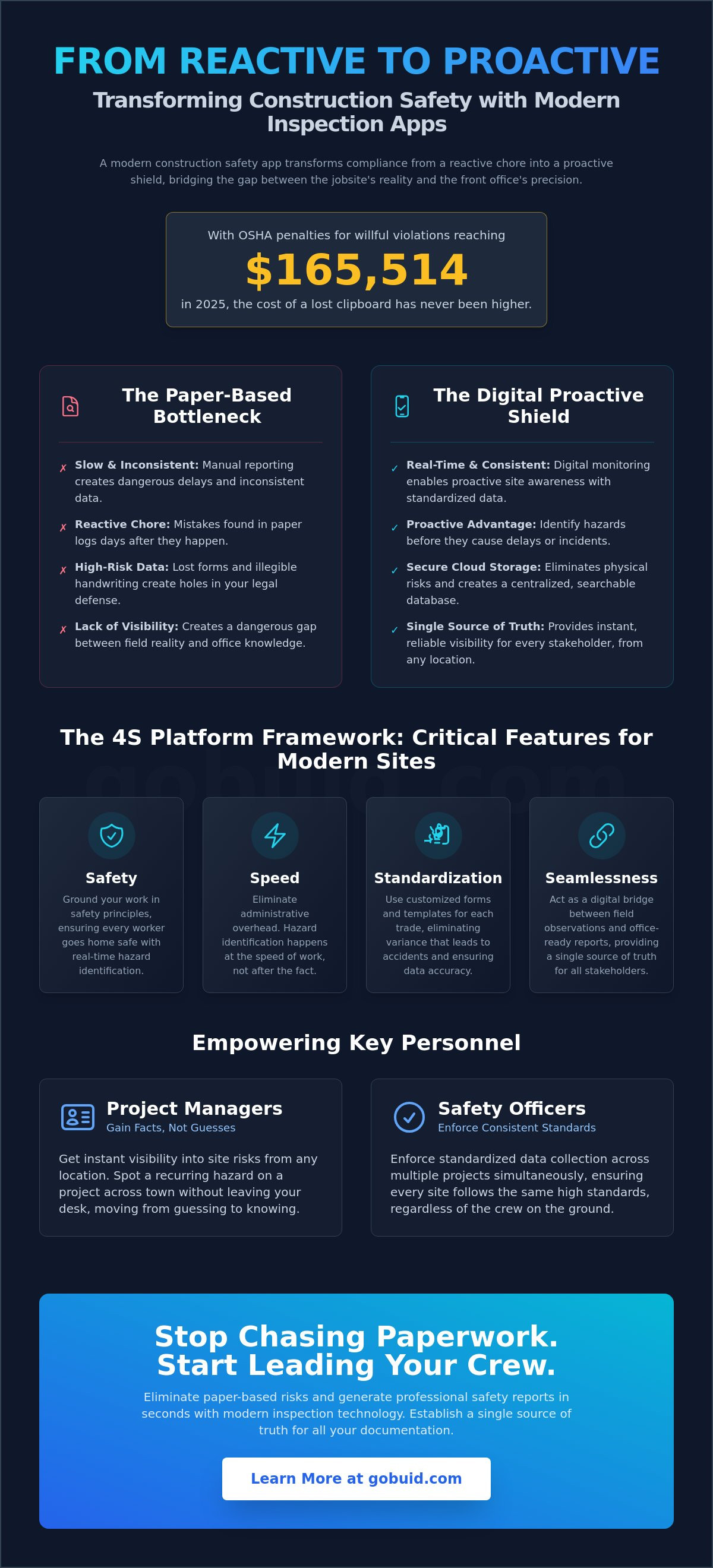
Effective safety management requires a structured approach that moves beyond simple checkboxes. We define this through the 4S Platform Framework: Safety, Speed, Standardization, and Seamlessness. A high-performing construction safety inspection app must excel in all four categories to provide real value. It's about creating a system where hazard identification happens at the speed of work, ensuring that site safety doesn't slow down production. When these four pillars align, you gain a Project Analytics Dashboard that offers genuine, data-driven insights rather than just a pile of unread reports.
Standardization is the bedrock of this framework. When every supervisor uses customized forms, you eliminate the variance that leads to accidents. This consistency is backed by research; an academic case study on digital safety inspections highlights how digital tools significantly improve data accuracy and quality control on active sites. By centralizing these insights, you move from guessing to knowing. It's the difference between a reactive site and a managed one.
Customized Forms and Inspection Templates
Every trade has unique risks. A concrete pour has different safety requirements than electrical rough-in. You need the flexibility to build templates specific to each phase of the project. Digital punch lists allow foremen to flag issues instantly. This prevents minor safety oversights from escalating into major incidents. It's about closing the loop between identifying a problem and verifying its resolution. You can explore our full feature set to see how these templates adapt to your workflow.
Linking Safety to Manpower and Equipment
Most platforms treat safety as an isolated checklist. That's a mistake. True compliance requires knowing exactly who is on-site and the status of the machinery they're operating. Manpower tracking ensures that only qualified personnel are in high-risk zones. Simultaneously, integrated equipment management logs ensure that every tool, from a handheld drill to a tower crane, has passed its latest inspection. If the equipment isn't logged, it shouldn't be running. This holistic view turns your site diary into an unbreakable record of accountability.
Evaluating Your Options: How to Choose the Right Safety Software
Choosing a construction safety inspection app shouldn't be a gamble. If your foreman finds the interface confusing, they simply won't use it. Unused software is a liability, not an asset. You need a tool built for the rugged reality of the field, featuring full offline capabilities. Site conditions often mean zero Wi-Fi or cellular service. Your data must save locally and sync automatically the moment a connection returns. Without this, you risk losing critical field observations.
Efficiency is the second priority. Your team already handles enough administrative overhead. Evaluate the reporting engine before you commit to any platform. Can the software generate reports in one click? If your safety officer spends an hour formatting a single PDF, the system is broken. Speed in the office is just as critical as safety on the jobsite. You need a solution that delivers professional results instantly.
Integration with Digital Site Diaries
Standalone safety apps often create data silos. They force your team to jump between multiple platforms, which increases the risk of manual errors and delayed communication. An integrated Digital Site Diary is the superior choice for modern project management. It houses safety inspections, manpower tracking, and progress photos in one centralized location. This creates an unbreakable single source of truth. It bridges the gap between field activity and office documentation, ensuring nothing falls through the cracks.
Total Cost of Ownership vs. ROI
Real ROI comes from reclaimed time. Automating safety audits saves hours of manual data entry and filing every week. However, the software's business model matters as much as its features. Many vendors try to trap contractors in rigid, multi-year "lock-in" contracts. This creates financial friction when project volumes fluctuate. Flexible, no lock-in options allow you to manage cash flow effectively between jobs. You scale your software usage based on your actual project needs. It's a practical approach to digital transformation that respects your bottom line.
Ready to reclaim control of your site documentation and eliminate paperwork? Start your journey with GoBuid today.
Take Command of Your Jobsite Compliance
The transition from paper logs to a digital construction safety inspection app is no longer just an upgrade. It's a fundamental shift in how you manage risk and protect your crew. By adopting the 4S Framework, you ensure every inspection is standardized and every hazard is tracked in real time. You bridge the gap between the field and the office, creating a single source of truth that stands up to regulatory scrutiny. Integrating safety checks with manpower and equipment tracking doesn't just improve compliance; it drives site-wide productivity and keeps your projects moving forward.
You have the power to eliminate administrative friction and regain control over your chaotic workflows. Stop wasting hours on manual data entry and start leading with data-driven insights. It's time to move toward a more efficient, professional, and reliable way of working. Start your digital site diary with GoBuid. Enjoy no lock-in contracts while you generate professional reports in one click and access real-time manpower and equipment tracking. Build with confidence and ensure every project stays on track and every worker stays safe.
Frequently Asked Questions
What is the best construction safety inspection app for small contractors?
The best construction safety inspection app for small contractors is one that balances powerful features with a low barrier to entry. GoBuid is designed for teams that need to scale without the friction of long term software contracts. It provides professional tools like customized forms and automated reporting without the administrative overhead of enterprise platforms. This allows smaller firms to maintain the same compliance standards as tier one contractors.
How does a mobile inspection app improve OSHA compliance?
A mobile inspection app improves OSHA compliance by creating an immutable, time stamped record of every safety check. Digital logs prevent the gaps and illegibility common in paper reporting. With real time hazard tracking and progress photos, you provide concrete proof of corrective actions. This level of documentation is critical given that OSHA penalties for willful violations increased to $165,514 in 2025.
Can I customize safety checklists for different construction projects?
Yes, you can fully customize safety checklists to match the specific requirements of different trades or project phases. Whether you're managing a concrete pour or an electrical rough in, customized forms ensure that your crew follows the correct protocols every time. This flexibility allows you to standardize safety across your entire portfolio while addressing the unique risks of each individual jobsite.
Does the safety app work offline when there is no internet on-site?
Yes, a professional construction safety inspection app must include full offline functionality. Foremen can capture safety observations, upload progress photos, and complete checklists even in areas with zero cellular service. The data is stored locally on the device and syncs automatically with the Digital Site Diary once a connection is re-established. This ensures no critical field data is ever lost due to site connectivity issues.
How much time can a digital site diary save on daily reporting?
A digital site diary can save project managers and foremen several hours every week by automating the report generation process. Instead of manually compiling field notes and photos at the end of the day, you can generate professional safety reports in one click. This immediate data flow reduces the need for status calls and allows the office team to focus on production rather than paperwork.
